Top AI Tools Every Developer Must Use in 2026 — Essential Picks, Use Cases, and Integration Tips

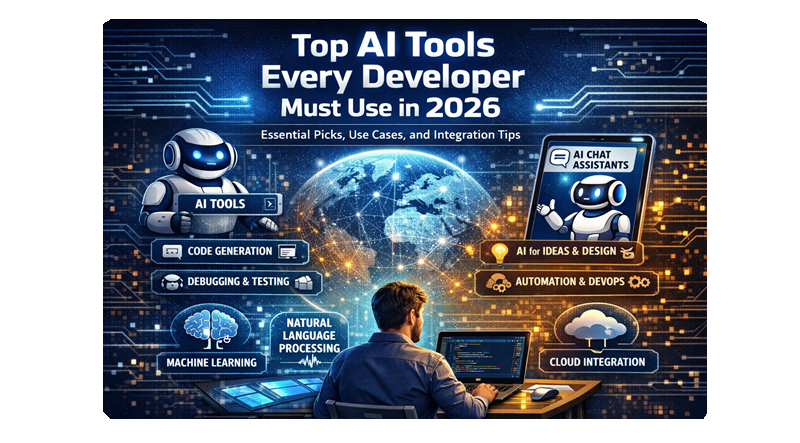
You need tools that speed coding, catch bugs before they reach production, and help you ship smarter — and 2026 delivers a mature set of AI tools that do exactly that. Expect AI to handle large portions of code generation, testing, security checks, deployment monitoring, and data visualization so you can focus on higher‑level design and product decisions.
This article maps the practical landscape of AI for development in 2026: which machine‑learning platforms, code‑generation assistants, NLP tools, QA and security solutions, collaboration aids, and monitoring systems actually move the needle. Follow along to learn which tools to adopt now and how they fit into an efficient, secure development workflow.
Overview of AI Tools in 2026
AI tools in 2026 emphasize practical automation, tighter developer workflows, and model-enabled reasoning. You’ll find tools that speed up coding, improve model reliability, and connect AI agents to real systems.
Emerging Trends in AI Development
Autonomous agents now execute multi-step tasks you used to script manually. These agents combine planning, tool use, and state management so you can delegate things like data pipelines, CI/CD updates, or customer-response flows.
Reasoning-centric models reduce hallucinations by chaining internal checks and symbolic verification. You should evaluate tools that offer verifiers, retrieval-augmented generation, or hybrid neural-symbolic pipelines for higher factual accuracy.
Efficiency stacks matter: lightweight inference runtimes, quantized models, and hardware-aware frameworks lower latency and cost. Choose tools that support GPU/TPU acceleration, model distillation, and runtime profiling.
Developer-first integrations—IDE plugins, Git hooks, and API-first libraries—shrink context switching. Prioritize tools with robust SDKs, reproducible pipelines, and observability for debugging model behavior in production.
Adoption Rate Among Developers
Adoption accelerated in 2024–2026 as enterprises moved from experimentation to production. By 2026, most backend and tooling teams report regular use of at least one code-assist or automation agent in day-to-day work.
Small teams favor hosted assistants and low-code automation to ship faster without large ML investments. Large orgs adopt private model deployments, observability, and governance to meet compliance and scale needs.
You should expect a mixed landscape: some teams standardize on a single platform for model hosting and observability, while others combine open-source libraries with managed services for cost control and customization.
Categories of AI Tools
Code Assistance: Autocomplete engines, semantic search, and test-generation tools that write, refactor, and explain code. Important for reducing review time and catching bugs early.
Modeling & Frameworks: Training libraries, model hubs, and orchestration systems for experiments, fine-tuning, and deployment. Look for reproducibility and hyperparameter tracking.
Agent Platforms: Orchestrators that link models to tools, databases, and APIs to perform autonomous workflows. Evaluate task routing, state persistence, and safety controls.
Inference & Optimization: Runtimes, quantization tools, and accelerators that lower latency and cost. Check compatibility with your hardware and deployment targets.
Observability & Governance: Logging, drift detection, and audit trails for models in production. These tools provide metrics, explainability, and policy enforcement.
Creative & Data Tools: Generative media, data augmentation, and ETL assistants that speed content and dataset creation.
Use this category map to match tools to specific parts of your development lifecycle: prototyping, production, or maintenance.
Essential Machine Learning Platforms
You’ll need platforms that cover model research, scalable training, automated pipelines, and team collaboration. Choose tools that match your project scale, latency needs, and deployment targets.
TensorFlow and PyTorch
TensorFlow and PyTorch remain the primary deep-learning frameworks for building models from prototypes to production. PyTorch excels for research and rapid iteration with eager execution, rich debugging, and native support for dynamic graphs. TensorScript, TorchDynamo and PyTorch’s optimized kernels help when you need throughput on GPUs and specialized hardware.
TensorFlow offers strong production tooling: TensorFlow Serving, TensorFlow Lite for edge devices, and TensorFlow Extended (TFX) for end-to-end pipelines. Use TensorRT, XLA, or TensorFlow’s model optimization toolkit when you require quantization, pruning, or mixed-precision to reduce latency and memory.
Pick PyTorch if you prioritize experimental flexibility, Hugging Face interoperability, and fast model iteration. Pick TensorFlow if you require mature production integration, cross-platform runtime options, or a large ecosystem of deployment tools.
AutoML Solutions
AutoML shortens time-to-model by automating architecture search, hyperparameter tuning, and feature engineering. Managed services like Vertex AI and Azure AutoML provide search, parallel trials, and built-in model registries so you can scale experiments without writing orchestration code. Use them when you need baseline models quickly or lack extensive ML operations.
Open-source options such as AutoGluon and KerasTuner let you keep full control of pipelines and data privacy while still automating search. Configure search spaces carefully to avoid wasted compute; set resource limits, early stopping, and sensible priors for hyperparameters. Monitor validation leakage and fairness metrics; automation speeds iteration but does not replace domain knowledge.
Collaborative ML Workspaces
Collaborative workspaces centralize notebooks, datasets, experiments, and CI/CD for models. Platforms like Dataiku, Databricks, and managed ML platforms integrate versioning, feature stores, and experiment tracking so your team avoids ad-hoc scripts and divergent environments. Look for built-in RBAC, reproducible compute environments, and dataset lineage.
Use feature stores to serve consistent inputs in training and production. Connect experiment tracking (MLflow or built-in equivalents) to your CI pipelines to automate model promotion and rollback. Ensure the workspace supports your preferred compute (Kubernetes, managed clusters, or on-prem GPUs) and has connectors to your data lakes and monitoring systems.
Cutting-Edge Code Generation Tools
This section highlights tools that generate, review, and optimize code to accelerate development, reduce defects, and improve runtime performance. Expect concrete capabilities, typical workflow integrations, and the trade-offs you should evaluate when choosing a tool.
AI-Powered Coding Assistants
AI-powered coding assistants like GitHub Copilot, Aider, and Claude Code generate function bodies, suggest idiomatic patterns, and produce tests from prompts or in-editor context. You use them to scaffold new features, auto-complete complex APIs, and convert plain-language requirements into runnable code.
They integrate with editors (VS Code, Zed, JetBrains) and CI systems, offering inline suggestions and multi-line completions. Watch for context-window limits: long repositories may require context stitching or retrieval-augmented approaches (RAG) to keep suggestions relevant.
Pay attention to licensing and data-handling policies. Some assistants store snippets for model training; others provide enterprise on-prem or private-model options. Evaluate latency, suggestion accuracy on your stack (TypeScript, Python, Go), and how confidently the tool handles edge cases versus producing plausible but incorrect code.
Automated Bug Detection
Automated bug detection tools combine static analysis, symbolic reasoning, and LLM-driven pattern recognition to surface defects earlier. Tools like DeepCode-style analyzers and newer AI systems flag null dereferences, concurrency hazards, security misconfigurations, and failing assertions.
You typically run these tools in pre-commit hooks, CI pipelines, or as IDE plugins to get immediate feedback. Prioritize tools that produce actionable diagnostics with suggested fixes and test cases so you can triage efficiently.
Evaluate false-positive rates and explainability. High recall with noisy alerts can slow you down, while silent failures miss critical issues. Look for integration with issue trackers and the ability to tailor rules to your codebase and coding standards.
Code Optimization Solutions
Code optimization solutions focus on performance tuning, resource usage reduction, and cost-aware refactors. They analyze hot paths, suggest algorithmic improvements, and propose memory or concurrency adjustments tailored to your runtime (serverless, containers, or edge).
You can run profiler-driven optimizers that pair runtime traces with model suggestions to produce targeted refactors, benchmark artifacts, and rollback-safe patches. Assess whether recommendations include microbenchmarks or CI performance tests so you can validate gains.
Consider the trade-offs between readability and performance. Some automated optimizations favor low-level tuning that complicates maintenance. Choose tools that support staged rollouts, performance regression checks, and clear annotations so your team understands why changes were made.
Advanced Natural Language Processing Tools
These tools help you build, query, and analyze language at scale. They range from raw model APIs for generation to full platforms that handle deployment, evaluation, and real-time conversational flows.
Large Language Model APIs
Large language model (LLM) APIs provide low-latency access to pre-trained models for tasks like generation, summarization, translation, and code synthesis. You should evaluate models by latency, cost per token, context window size, and fine-tuning or instruction-tuning support.
Key technical factors to compare:
Context window (8k, 32k, 100k+ tokens) — affects how much long-form content you can process in a single call.
Fine-tuning / adapters — whether you can adapt model behavior on custom datasets or use lightweight instruction-tuning.
Safety & content controls — built-in filters, moderation endpoints, and rate limits to reduce harmful outputs.
Operational concerns matter too. Check SDK maturity (Python, JS, Java), streaming support for token-by-token responses, and enterprise features like VPC peering, audit logs, and usage quotas.
Conversational AI Frameworks
Conversational frameworks let you design multi-turn dialogs, manage state, and integrate channels (web, voice, chat). Use them to build assistants that maintain context across turns and trigger backend actions securely.
Important capabilities to look for:
Dialog state management — session storage, slot filling, and context windowing to avoid context loss.
Integration adapters — connectors for messaging platforms, telephony, and enterprise systems (CRMs, databases).
Testing and analytics — conversation replay, intent confusion matrices, and funnel metrics to iterate on flows.
Also consider developer ergonomics: visual flow editors, versioning of dialog models, and hot-reload during development. Security features like role-based access control and encrypted secrets are essential for production bots.
Text Analysis Platforms
Text analysis platforms handle batch and streaming NLP pipelines — tokenization, entity extraction, sentiment, classification, and embedding generation. They let you operationalize tasks like document search, risk detection, and voice-of-customer analysis.
Compare platforms on these dimensions:
Prebuilt models vs custom training — whether you can upload labeled data to train domain-specific classifiers.
Embeddings & vector search — support for multiple embedding types, approximate nearest neighbor indices, and scalable index sharding.
Throughput and latency — batching options, GPU acceleration, and SLA guarantees for real-time vs offline workloads.
Operational features to check include data retention policies, annotation tools for human-in-the-loop labeling, and exportable model artifacts for on-prem deployment.
AI Tools for Testing and QA
You can reduce manual regression work, catch visual and logic bugs earlier, and scale load testing with far fewer engineers. Expect tools that generate, maintain, and prioritize tests using LLMs, vision models, and real-user telemetry.
Automated Code Testing
Use AI-driven unit and integration test generators to create test cases from code, commit history, and runtime traces. Tools analyze function signatures and types to propose focused tests, mock dependencies automatically, and produce assertions that reflect real input ranges. You still review generated tests, but AI cuts scaffolding time and raises coverage for edge cases you might miss.
Apply these tools in CI pipelines to run flaky-test detection, auto-flake fixes, and test-suite minimization. Look for features like mutation testing to measure test strength and version-aware test maintenance that updates assertions when APIs intentionally change.
Quality Assurance Bots
Deploy QA bots that interact with UIs like a human tester, using computer vision plus DOM-aware actions to record, replay, and self-heal when selectors change. They detect visual regressions, accessibility violations (WCAG), and functional drift across browsers and devices. Bots can triage failures by linking screenshots, DOM diffs, and stack traces to the failing test step.
Integrate bots with your bug tracker to auto-file issues with repro steps and recommended fixes. Prioritize solutions that let you author tests in natural language, tag them by risk, and run risk-based test portfolios for each release.
Performance Analysis AI
Adopt AI modules that ingest telemetry, synthetic load tests, and profiling data to pinpoint performance hotspots and root causes. These systems correlate CPU, memory, and I/O signals with code paths and database queries, then surface high-impact optimizations and query hints you can act on immediately.
Use them to generate targeted load scenarios that mirror real-user behavior and to predict SLA violations before deployment. Favor tools offering programmable dashboards, alerting thresholds tied to business metrics, and explainable recommendations so you can validate and implement changes quickly.
Collaboration and Productivity AI Tools
These tools speed up task routing, keep documentation current, and catch bugs before merge. Expect automation for sprint planning, AI-generated docs and changelogs, and review assistants that surface risky diffs and suggest fixes.
Intelligent Project Management
AI project managers analyze backlog health, predict sprint scope, and auto-assign work based on skill and availability. You can use them to generate realistic velocity estimates from historical commit and ticket data, and to flag tasks likely to slip before standup.
Key capabilities:
Automatic prioritization: rank issues by impact, effort, and customer pain using past resolution times and telemetry.
Smart assignment: match tasks to developers by expertise extracted from code contributions and PR history.
Risk alerts: detect dependency bottlenecks and forecast schedule drift with confidence intervals.
Integrations with Jira, GitHub Issues, and Slack let you trigger actions (create tickets, reassign tasks) from chat or pull requests. Configure guardrails: set maximum reassign frequency and require human approval for priority escalations.
AI-Driven Documentation
AI tools generate and keep docs in sync with code and API changes so you don’t waste time on stale READMEs. You can produce function-level summaries, API reference pages, and migration notes directly from code comments, types, and runtime traces.
Practical features:
Doc extraction: parse signatures, types, and tests to create precise examples and parameter descriptions.
Change diffs: auto-generate changelogs and highlight doc sections affected by a commit.
Natural-language search: query your codebase and docs conversationally to find examples or usage details.
Set rules to require review of generated docs for public APIs. Use templates to enforce style and include runnable snippets that you and your teammates can copy into tests or demos.
Smart Code Review Platforms
AI review assistants surface security risks, logic flaws, and performance regressions directly in PRs. They prioritize comments by severity, suggest concrete fixes, and estimate the review effort so you can triage quickly.
What to expect:
Context-aware suggestions: the tool references surrounding code, tests, and previous PRs when proposing changes.
Automated checks: detect secret leaks, unsafe deserialization, and O(n^2) patterns before CI runs.
Reviewer routing: recommend the best reviewers based on past approvals and domain knowledge.
You should tune sensitivity to reduce noise; configure the assistant to auto-fix low-risk issues and require manual approval for stylistic or architectural changes. Integrate with CI to block merges only for high-confidence findings.
AI Tools for Security and Compliance
You need tools that detect active threats in real time and tools that enforce data privacy and regulatory controls across your code, models, and pipelines. Focus on low false-positive rates, actionable alerts, and automated compliance evidence collection.
Threat Detection Systems
Choose threat detection tools that combine signature-based, behavior-based, and ML-driven anomaly detection. Prioritize platforms that ingest telemetry from endpoints, cloud workloads, application logs, and model-serving endpoints so you can correlate incidents across your stack.
Look for these capabilities:
Real-time alerting with risk scoring and suggested remediation steps.
Model and prompt monitoring to detect prompt injections, data exfiltration, and model drift.
API and supply-chain scanning for vulnerable dependencies and misconfigurations.
Integration with your SIEM, SOAR, and ticketing systems to automate containment.
Evaluate detection accuracy using your own traffic and red-team exercises. Confirm the tool exports audit trails and forensics for post-incident analysis and regulatory reporting.
Data Privacy Management
Use privacy tools that classify data, enforce policies, and automate data minimization across development and deployment environments. Your priorities should be precise data tagging, consistent masking, and repeatable privacy workflows.
Key features to require:
Automated discovery of PII and sensitive attributes in code, databases, and training datasets.
Contextual masking and tokenization that preserve utility for testing and model training.
Policy engine and versioned consent records to map data use to legal requirements (GDPR, CCPA, sector-specific regs).
Audit-ready reporting that shows who accessed what data, when, and why.
Integrate privacy controls into CI/CD so scans and masking run before dataset checkout or model training. Validate effectiveness by sampling masked outputs and running privacy risk metrics (re-identification risk, k-anonymity).
Deployment and Monitoring AI Tools
You’ll find tools that automate deployments, rollbacks, and canaries while others continuously analyze model performance and data drift. Focus on tools that integrate with your CI/CD, observability stack, and cloud provider to reduce toil and surface actionable alerts.
AI-Based Deployment Automation
AI-based deployment automation predicts the safest deployment strategy and executes it across environments. Tools combine telemetry from CI/CD pipelines, test suites, and runtime metrics to choose blue/green, canary, or phased rollouts automatically. You’ll get automated rollbacks when anomaly detectors identify increased error rates or latency regressions, reducing mean time to recovery.
Look for features like:
Policy-driven automation to enforce compliance and safety gates.
Risk scoring that grades a release based on test coverage, failing tests, and runtime signals.
Integrations with Kubernetes, Terraform, GitOps, and major CI systems.
Adopt agents that provide explainable decisions so you can audit why a rollout paused or reverted. You should also require role-based approvals and manual override paths to avoid unwanted automated changes.
Model Monitoring Platforms
Model monitoring platforms track prediction quality, input distribution, and feature drift in production. They compute metrics such as accuracy (when labels exist), prediction latency, calibration, and PSI/KL divergence for inputs. You’ll receive alerts for label shift, data schema changes, and downstream impact on business KPIs.
Key capabilities to prioritize:
Real-time dashboards for per-model and per-feature health.
Root-cause tools that correlate data changes with spikes in error or latency.
Retraining triggers that automatically create retraining jobs when drift exceeds thresholds.
Ensure the platform supports post-hoc explainability, secure data handling, and integrates with your logging, APM, and incident management systems. This lets you trace incidents from model inputs through code and infrastructure.
AI Tools for Visualization and Analytics
You can turn raw metrics into interactive dashboards and run models that forecast outcomes from the same data source. Focus on tools that automate charting, support large datasets, and expose model explainability for stakeholder trust.
Data Visualization Solutions
Choose platforms that convert tables and SQL results into annotated dashboards and exportable visuals. Look for features like natural-language-to-chart queries, streaming data support, and GPU-accelerated rendering for large datasets.
Key platforms and capabilities:
BI + AI hybrids: Tools such as Tableau and Looker Studio (and newer AI-native entrants) let you build dashboards, embed smart summaries, and use AI to suggest chart types and aggregations.
Conversational visuals: Use natural-language prompts to generate charts, filter data, and annotate findings without writing code.
Interactivity & sharing: Ensure drill-downs, parameter controls, role-based access, and easy embedding in web apps or notebooks.
Performance considerations: Prefer connectors that push computation to warehouses (BigQuery, Snowflake) or support sampling + progressive rendering for multi-billion-row tables.
Predictive Analytics Platforms
Pick platforms that let you prototype, validate, and deploy forecasting and classification models with explainability and MLOps support. Prioritize automation for feature engineering, hyperparameter search, and production monitoring.
Essential capabilities to evaluate:
AutoML + custom models: Platforms like Azure ML and SageMaker (and focused AutoML services) should let you run both AutoML pipelines and bring-your-own model code.
Explainability & fairness: Look for SHAP/LIME integration, counterfactuals, and bias detection to justify predictions to stakeholders.
Deployment & monitoring: Model serving, A/B testing, drift detection, and rollback mechanisms matter for production reliability.
Integrations: Data connectors, CI/CD hooks, and SDKs for notebooks and microservices speed developer workflows.
Future Outlook for AI Tools in Software Development
You will see AI move from assistive features to integrated workflow partners. Expect tools to act across planning, coding, testing, and deployment rather than only generating snippets.
Adoption will continue rising, with most teams treating AI as a standard part of the toolchain. That shift increases expectations for reliability, traceability, and explainability in model outputs.
Regulation and governance will shape how you use AI at scale. You should prepare for requirements around data provenance, model audits, and risk assessment integrated into CI/CD pipelines.
Security and privacy will become central product criteria, not optional add-ons. Tools that surface vulnerabilities, enforce policies, and minimize data exposure will gain preference.
AI will also change team roles and workflows. You may spend less time on boilerplate and more on system design, review, and edge-case handling. Collaboration tools will embed AI to speed code reviews and cross-functional communication.
Key trends to watch:
Increased IDE-native intelligence for contextual assistance. Specialized models tuned for domains like testing, DevOps, and security. Metrics-driven evaluation of AI helpers (accuracy, hallucination rate, latency).
You should evaluate tools on measurable criteria: correctness, reproducibility, integration cost, and compliance support. Prioritize solutions that provide transparency and let you retain engineering judgment.
Related posts:
 How To Install Gradle on Ubuntu 20.04
 How To Install Atom Text Editor on Ubuntu 18.04
 How To Install Sublime Text 4 On Rocky Linux 8
 Introduction to Terraform: Infrastructure as Code Made Easy
 How To Install R Language On CentOS 8
 Installing MediaWiki On Ubuntu 22.04
 Installing Apache Spark on CentOS Stream 9: A Beginner’s Tutorial
 Exploring Trino with Apache Iceberg: My Hands-On Experiment