n8n AI Agent Node Explained: LangChain, MCP Client Tool & Production Patterns (2026)

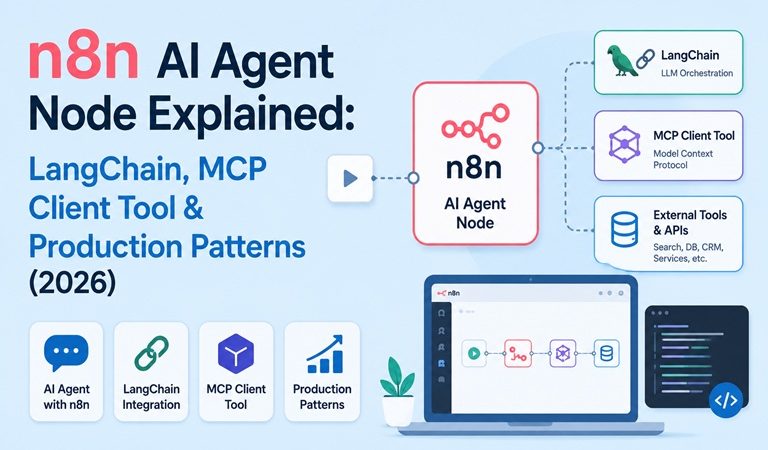
Dropping an AI Agent node onto an n8n canvas doesn’t automatically make a workflow “agentic.” Without a tool attached, it’s just an LLM call with a trigger in front of it. This guide breaks down how the n8n AI Agent node actually works under the hood — its LangChain Tools Agent foundation, the MCP Client Tool integration, human-in-the-loop approval, memory, and a build pattern that survives contact with real production traffic.
Table of Contents
- What Is the n8n AI Agent Node, Exactly
- AI Agent vs Regular Workflow: When to Use Which
- Architecture: How the Tools Agent Loop Works
- The AI Agent Node’s Building Blocks
- MCP Client Tool vs HTTP Request Tool
- Human-in-the-Loop for Tool Calls
- Step-by-Step: Building a Scoped Agent
- Multi-Agent on One Canvas: AI Agent Tool Node
- Production Deployment Notes
- Common Mistakes
- Troubleshooting
- FAQ
- Related Articles
What Is the n8n AI Agent Node, Exactly
The AI Agent node in n8n is built on LangChain’s Tools Agent, which implements LangChain’s tool calling interface that describes available tools and their schemas, along with improved output parsing that passes the parser to the model as a formatting tool. In plain terms: the node gives an LLM a menu of tools, lets it decide which one to call based on the input, and standardizes what comes back out.
An important platform detail changed in 2026: n8n removed the old agent-type selector, so every AI Agent node now runs as a Tools Agent, and it requires at least one tool sub-node connected before it will run. If a task genuinely needs no tool calls — just a straight prompt-and-response — the correct node is Basic LLM Chain, not AI Agent. Reaching for the agent node without a real tool attached is the single most common mistake in n8n AI builds: it produces a chatbot, not an agent.
The Tools Agent supports chat models including OpenAI, Anthropic, Groq, Mistral Cloud, and Azure OpenAI, and can be paired with dozens of built-in tool nodes — HTTP Request, Postgres, Airtable, Slack, Google Sheets, Code, and many more — plus the Call n8n Workflow tool for wrapping any other workflow as a callable sub-agent.
AI Agent vs Regular Workflow: When to Use Which
Most automation tasks don’t need an agent. Default to a plain workflow and treat the agent as the exception.
| Situation | Regular Workflow | AI Agent |
|---|---|---|
| Inputs are predictable (form fields, structured webhook) | ✅ | |
| Logic fits a clean if-then tree | ✅ | |
| Messy text needs classification or summarization | ✅ | |
| Something needs to be looked up before deciding | ✅ | |
| Output must be structured every time, no surprises | ✅ | |
| Edge cases keep slipping through keyword filters | ✅ | |
| High run volume where token cost matters | ✅ |
A useful rule of thumb: if the rules can be written in ten minutes, it’s a workflow — if you’d need fifty if-statements and still miss cases, it’s an agent. A Stripe webhook that triggers a receipt email doesn’t need an LLM in the path. A support inbox that has to distinguish a mildly annoyed customer from one who’s about to churn does.
Architecture: How the Tools Agent Loop Works
                    ┌───────────────────────┐
                    │   Trigger (n8n)       │
                    │ Webhook / Chat / RSS  │
                    └───────────┬───────────┘
                                │  input + context
                                ▼
                    ┌─────────────────────────┐
                    │     AI Agent Node       │
                    │   (LangChain Tools      │
                    │        Agent)           │
                    └──┬─────────┬────────┬───┘
                       │         │        │
              ┌────────▼───┐ ┌───▼────┐ ┌─▼─────────────┐
              │ Chat Model │ │ Memory │ │ Tools         │
              │ OpenAI /   │ │(Window │ │ HTTP / DB /   │
              │ Anthropic  │ │ Buffer)│ │MCP Client /   │
              │            │ │        │ │Call Workflow  │
              └────────────┘ └────────┘ └───────────────┘
                                              │
                                   ┌──────────▼──────────┐
                                   │ Human Review (opt.) │
                                   │ Slack / Telegram /  │
                                   │ Chat approval gate  │
                                   └──────────┬──────────┘
                                              │ approved
                                              ▼
                                   ┌──────────────────────┐
                                   │ Structured Output    │
                                   │ Parser → next node   │
                                   └──────────────────────┘
The loop is: read input and context → decide whether to call a tool and which one → use the tool’s output to pick the next action or the final answer. That decision loop, not the presence of an LLM by itself, is what makes a workflow “agentic.”
The AI Agent Node’s Building Blocks
Chat Model — the reasoning engine. Anthropic and OpenAI chat models are the most common defaults; structured output tends to be more reliable with models that support native tool-calling, which is why the Tools Agent architecture was standardized on tool-calling rather than the older ReAct-style prompting.
Tools — what turns a chatbot into an agent. The Tools Agent can call tools ranging from HTTP Request, Code, and Call n8n Workflow to dozens of app-specific integrations including Airtable, Postgres, Slack, Google Sheets, Notion, GitHub, and a Vector Store tool for retrieval-augmented generation.
Memory — optional, and often skipped unnecessarily. Memory sub-nodes let users hold an ongoing multi-turn conversation, but memory does not persist between sessions by default. Add memory only when the task genuinely needs prior conversation or prior user state — one-shot scoring, routing, and classification tasks are usually cleaner and cheaper without it.
Output Parser — turning on the “Require Specific Output Format” option prompts you to connect a Structured Output Parser, Item List Output Parser, or Auto-fixing Output Parser so downstream nodes receive clean, predictable fields instead of prose that has to be re-parsed.
Max Iterations — controls how many times the model can run to try to produce a good answer, defaulting to 10. This caps runaway tool-calling loops and keeps a single execution from spinning indefinitely.
MCP Client Tool vs HTTP Request Tool
Before MCP support, wiring an agent to an external service meant hand-building an HTTP Request tool for every single API endpoint — separate auth, separate schema, separate error handling, one node per capability. The MCP Client Tool changes that: it lets the AI Agent node call tools already exposed by a remote MCP (Model Context Protocol) server as a single connection, instead of one HTTP node per capability. A standalone MCP Client node also exists outside the agent context, so any step in a workflow — not just an AI Agent — can call an MCP server directly.
| Aspect | HTTP Request Tool | MCP Client Tool |
|---|---|---|
| Setup per capability | One node, one schema, per endpoint | One connection exposes many tools at once |
| Auth handling | Manual, per API | Handled by the MCP server |
| Schema discovery | You define it manually | Tool schemas come from the server |
| Best for | A single one-off API call | Services that already ship an MCP server (Notion, Linear, monday.com, and others) |
| Maintenance | Breaks silently if the API changes | Server-side updates propagate automatically |
The trade-off: HTTP Request gives full manual control over exactly what’s exposed to the model, which matters when scoping a tool tightly (read-only queries, pre-filtered results) is a security requirement — MCP’s convenience comes from exposing whatever the server author decided to expose.
Human-in-the-Loop for Tool Calls
Any agent that can send a message, modify a record, or take a public-facing action should have a human approval gate before that specific tool executes — not after. n8n supports this natively at the tool level rather than requiring a hand-wired approval branch:
To add a human review step: click the tool connector on the AI Agent node, find the Human Review section in the Tools Panel, select an approval channel (Chat, Slack, Telegram, and others), and connect the tools that require approval to the human review step. When the AI wants to use a gated tool, the workflow pauses and sends an approval request through the chosen channel — the recipient can approve so the tool executes, or deny to cancel the action.
This is the pattern to reach for before manually wiring a Slack “Approve/Reject” branch downstream of the agent — the gate lives on the tool itself, scoped to exactly the actions that need review, while read-only tools (a lookup, a search) can run unattended.
Step-by-Step: Building a Scoped Agent
1. Pick one decision. Not “read my inbox, reply, and update the CRM.” Instead: “for each new support ticket, decide if it’s a billing issue, a bug report, or a general question, and route it accordingly.” One job, one sentence.
2. Wire the trigger. Webhook, Chat Trigger, schedule, or an app-specific trigger — this is boring, deterministic n8n work. Give the agent enough context in the payload (full text, not just a title) so its decision has something to work with.
3. Add the AI Agent node and connect a Chat Model. Write a system message that spells out the exact criteria and the exact output format — vague prompts (“make good decisions”) produce inconsistent agent behavior more often than model choice does.
4. Attach scoped tools. Read-only where possible. A tool that can query a “recent tickets” table is safer and more predictable than one with unrestricted database access. If a remote service already has an MCP server (Notion, Linear, and similar apps commonly do), use the MCP Client Tool instead of hand-building an HTTP Request tool for each of its endpoints.
5. Turn on Require Specific Output Format and connect a Structured Output Parser so the router node downstream gets clean fields (decision, reason, priority) instead of paragraphs to parse.
6. Gate anything outbound with human review. Sending an email, posting publicly, or writing to a system of record goes through the tool-level approval step described above.
7. Test on real data, not synthetic examples written to make the demo look good — real inputs are messier and will expose gaps in the prompt and tool scope faster than anything hand-crafted.
8. Add the boring reliability layer. Log every run (input, decision, model, approval result) somewhere queryable, set retries for transient tool failures, and alert on parser failures. This is the part that determines whether an agent survives past week one.
Multi-Agent on One Canvas: AI Agent Tool Node
For cases where a single agent has genuinely hit its ceiling — not before — n8n supports connecting multiple AI Agent Tool nodes to one primary AI Agent, letting the primary agent supervise and delegate to specialized sub-agents within a single execution, all on one canvas. This is the sanctioned way to build a multi-agent pattern in n8n without resorting to a tangle of separate workflows calling each other. In practice this pattern is rarely needed: a well-scoped single agent with a handful of tight tools covers the large majority of real automation tasks, and reaching for multi-agent delegation before that ceiling is actually hit tends to add debugging surface without adding capability.
Production Deployment Notes
For a self-hosted n8n instance running AI Agent workflows at meaningful volume:
- Queue mode with Postgres and Redis is the standard path once a single instance starts bottlenecking — main process handles triggers and the UI, separate worker processes execute the actual agent runs.
- Credentials stay in n8n’s credential store, never pasted into a system prompt — a prompt is visible in run history and to the model itself.
- Run history is the debugging surface. Every agent execution is inspectable node-by-node, including intermediate tool calls when “Return Intermediate Steps” is enabled — this is usually faster for diagnosing a bad decision than trying to reproduce it by re-prompting.
- Cost tracking matters at scale. Unlike a fixed per-task or per-module billing model, every agent run’s token cost varies with how many tool-calling iterations it takes — logging the iteration count and token estimate per run makes cost anomalies visible early.
If n8n itself isn’t installed yet, the native install path on Rocky Linux — Node.js, a systemd service, and an Nginx reverse proxy — is covered in the companion guide linked below.
Common Mistakes
- Using the AI Agent node with no tools attached. This produces a chatbot, not a decision-maker — use Basic LLM Chain instead if no tool is genuinely needed.
- Building multi-agent setups before a single agent has hit its ceiling. It usually hasn’t.
- Vague system prompts. “Make good decisions” isn’t a specification — criteria, output format, and the default behavior under uncertainty all need to be explicit.
- No human approval on outbound actions. The first time an agent sends something unexpected to a customer is the wrong time to discover this gap.
- Testing only on hand-written sample data. Real inputs are messier than anything crafted to make a demo look clean.
- Adding memory because it sounds more sophisticated. Most one-shot scoring, routing, and classification tasks are cleaner and cheaper stateless.
- Treating structured output as optional. If a downstream node has to route on the result, prose output just becomes a parsing problem one node later.
Troubleshooting
| Symptom | Likely Cause | Fix |
|---|---|---|
| AI Agent node won’t execute / shows a tool-required error | No tool sub-node connected | Attach at least one tool, or switch to Basic LLM Chain if no tool is actually needed |
| Agent output is inconsistent between runs | Vague or missing system message | Spell out exact criteria, output format, and the default behavior on uncertainty |
| Downstream node fails parsing agent output | No output parser connected | Enable “Require Specific Output Format” and attach a Structured Output Parser |
| Agent seems to “try” a tool but nothing happens | Tool node not actually wired to the agent’s tool input | Re-check the connection between the tool node and the AI Agent’s tool socket |
| Workflow runs far longer / costs more than expected | Max Iterations set too high, or agent looping on a failing tool call | Lower Max Iterations; check Return Intermediate Steps to see where it’s looping |
| Human approval step never triggers | Tool not connected to the Human Review gate specifically | Reconnect the sensitive tool through the Tools Panel’s Human Review section, not a separate downstream branch |
| MCP Client Tool returns no tools / connection error | MCP server auth not configured, or server URL unreachable from the n8n host | Verify the MCP server credential and that the n8n host can reach the server’s network address |
FAQ
What is the n8n AI Agent node?
The AI Agent node is the reasoning step in an n8n workflow. It connects a chat model to tools, memory, and an output parser so the workflow can make a decision instead of only moving data. n8n still owns the trigger, credentials, routing, retries, and run history around it.
Can the n8n AI Agent node use MCP tools?
Yes. The AI Agent node supports the MCP Client Tool, letting the agent call tools exposed by a remote MCP server without hand-wiring an HTTP node for every API. A standalone MCP Client node also exists so any step in a workflow, not just an agent, can call an MCP server.
Does the n8n AI Agent node require a tool to be connected?
Yes, since n8n v1.82.0 every AI Agent runs as a Tools Agent and requires at least one tool sub-node connected. If a workflow needs no tools at all, the Basic LLM Chain node is the correct choice instead.
When should I use an AI agent instead of a regular n8n workflow?
Use a regular workflow when inputs are predictable and logic fits a clean if-then tree. Use an AI agent when the task needs judgment: classifying messy text, summarizing, or looking something up before deciding. If the rules can be written in ten minutes, it is a workflow, not an agent.
Related posts:
 Installing Wkhtmltopdf On Ubuntu 20.04 LTS Step by Step
 How To Install Apache ActiveMQ On CentOS 8
 How to Install OpenJDK 8, 11, 17 and 18 on Ubuntu 22.04
 How To Install Apache Airflow 2.1 On Ubuntu 20.04 LTS Step by Step Guide
 How To Install SonarQube on Ubuntu 20.04 LTS
 How To Install Flask On CentOS 8
 How To Install Gparted on CentOS 8
 How To Install SDKMAN on Fedora 38
