n8n vs Zapier vs Make (2026): Pricing, AI Agents & Which to Choose

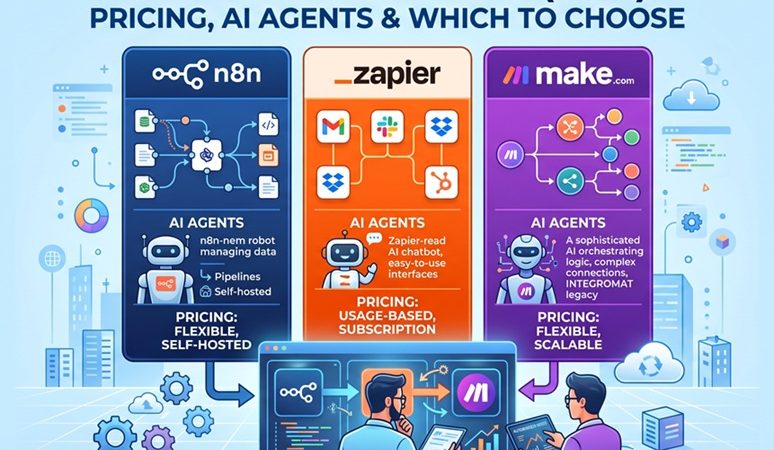
Three platforms dominate workflow automation in 2026: Zapier, Make (formerly Integromat), and n8n. Picking between them isn’t really a feature checklist exercise anymore — it’s a decision about billing model, technical depth, data control, and how seriously each platform treats AI agents. This comparison cuts through the marketing to the numbers and trade-offs that actually decide most evaluations.
Table of Contents
- Quick Comparison
- The Billing Model Is the Real Story
- Pricing at Scale: A Real Example
- Self-Hosting and Data Control
- AI Agent Capabilities
- Integration Breadth
- Decision Framework
- Migration Considerations
- FAQ
- Related Articles
Quick Comparison
| Zapier | Make | n8n | |
|---|---|---|---|
| Billing unit | Per task (each action) | Per operation (each module step) | Per execution (whole workflow run) |
| Entry paid tier | ~$19.99/mo (750 tasks, annual) | ~$10.59/mo (10,000 ops) | ~€20/mo (2,500 executions) |
| Free tier | 100 tasks/mo, 2-step workflows | 1,000 operations/mo | 5,000 executions/mo (Cloud) or unlimited self-hosted |
| Self-hosting | Not available | Not available | Yes — free, open-source Community Edition |
| Integration count | 8,000+ | 2,000+ | 400+ built-in, extensible via HTTP/code/MCP |
| AI agent capability | Zapier Agents, AI Actions (add-on) | Make AI Agents, Maia AI | Native AI Agent node, LangChain, MCP Client Tool |
| Best for | Non-technical teams, fastest time-to-value | SMBs wanting visual power at mid-price | Developers, technical teams, high-volume/regulated workloads |
| Learning curve | Lowest | Moderate | Steepest |
The Billing Model Is the Real Story
Sticker price is the least useful number to compare. What actually determines the bill is how each platform counts a “run.”
- Zapier bills per task. Every single action inside a Zap counts as one task — including filters and formatting steps. A 10-step Zap that runs once burns 10 tasks.
- Make bills per operation. Every module action, including triggers and filters, counts as one operation. A 5-step scenario uses 5 operations per run, not one.
- n8n bills per execution. An entire workflow run — however many nodes it contains — counts as a single execution.
This is why workflow complexity barely moves n8n’s bill, while it directly multiplies Zapier’s and Make’s. A 10-step automation running 10,000 times a month is 10,000 executions on n8n but 100,000 tasks on Zapier and 100,000 operations on Make.
Pricing at Scale: A Real Example
Take a workflow with 8 steps running 10,000 times per month — a realistic mid-complexity automation (lead enrichment, ticket routing, and similar patterns):
| Platform | Units needed | Approximate monthly cost |
|---|---|---|
| n8n Cloud | 10,000 executions | ~$50–60/mo (Pro plan) |
| Make | 80,000 operations | ~$150–200/mo (stacking tiers) |
| Zapier | 80,000 tasks | ~$250–400+/mo depending on plan |
That gap — commonly cited as a 5–8x price difference at scale — widens further as workflow complexity grows, since only n8n’s bill stays flat against step count. Self-hosting n8n removes the execution ceiling entirely: the Community Edition is free with unlimited executions, and typical VPS hosting runs somewhere in the $5–15/month range, though that shifts scaling, updates, and security onto whoever runs the server.
Pricing changes frequently across all three vendors. Treat the figures above as directional and verify current numbers on each platform’s pricing page before committing to a plan.
Self-Hosting and Data Control
This is the sharpest structural difference between the three:
- n8n ships a free, open-source Community Edition that can run entirely on infrastructure the user controls — relevant for regulated industries, data residency requirements, or teams that simply don’t want workflow data touching a third party’s cloud by default.
- Zapier and Make are cloud-only. There is no self-hosted option for either platform; all workflow data is processed on their infrastructure.
For teams already comfortable managing a Linux server — see the companion guide on installing n8n on Rocky Linux 10.2 — self-hosting removes both the execution ceiling and the third-party data processing question in one move. For teams without that capacity, n8n itself recommends its Cloud plans over unmanaged self-hosting.
AI Agent Capabilities
All three platforms added native AI agent features in 2026, but the depth differs meaningfully:
| Platform | AI agent approach | How it’s built in |
|---|---|---|
| n8n | Dedicated AI Agent node built on LangChain’s Tools Agent, plus MCP Client Tool support and native human-in-the-loop tool approval | Fully native to the workflow engine — an agent is just another node with full access to every other node as a potential tool |
| Make | Make AI Agents and Maia AI, integrated into the visual scenario canvas | Native to the platform, positioned between Zapier’s simplicity and n8n’s technical depth |
| Zapier | Zapier Agents and AI Actions, executing across its integration catalog | Sold as an add-on layer on top of the core Zaps plan rather than built into every workflow by default |
For a technical team that wants to build and fully control tool-using, multi-step agents — including scoping exactly which tools an agent can call and gating sensitive actions behind human approval — n8n’s AI Agent node currently offers the most direct control. Teams that want AI automation without touching a node graph will generally find Zapier Agents or Make’s Maia AI faster to get running, at the cost of less granular control over what the agent can actually do.
Integration Breadth
Raw integration count still favors Zapier by a wide margin — its catalog is the largest in the market, which matters most for teams connecting mainstream SaaS tools quickly with zero code. Make sits in the middle with a large but smaller catalog. n8n ships fewer built-in nodes by comparison, but closes the gap differently: any REST API is reachable via its HTTP Request node, custom logic via its Code node, and — as of 2026 — any MCP-compatible service via the MCP Client Tool, so “not on the list” rarely means “not connectable,” it just means more manual wiring than a native integration would need.
Decision Framework
- Choose Zapier if the team is non-technical, needs the fastest possible time-to-value, and mostly connects mainstream SaaS tools without complex branching logic.
- Choose Make if the team wants genuine visual workflow power — routers, iterators, aggregators — at a meaningfully lower cost than Zapier, without taking on n8n’s steeper technical learning curve.
- Choose n8n if the team has technical capacity (or is willing to build it), needs self-hosting for cost or compliance reasons, runs high-volume or long multi-step workflows where per-execution billing pays off, or wants to build AI agents with full control over tools, memory, and approval gates.
Migration Considerations
| Moving from → to | What transfers easily | What needs rebuilding |
|---|---|---|
| Zapier → n8n | Core logic (trigger, actions, conditions) maps conceptually | Zap-specific app integrations without an n8n equivalent need an HTTP Request node instead |
| Make → n8n | Scenario branching logic maps to n8n’s IF/Switch nodes | Make-specific modules (iterators, aggregators) need re-expressing in n8n’s data-item model |
| n8n → Zapier/Make | Simple linear workflows | Custom Code nodes, self-built HTTP integrations, and AI Agent workflows have no direct equivalent — Zapier/Make’s AI add-ons are less granular |
A full platform migration is rarely a weekend project regardless of direction — budget time to rebuild and test each workflow individually rather than expecting a bulk import to carry everything over cleanly.
FAQ
What is the main pricing difference between n8n, Zapier, and Make?
The billing unit differs. Zapier charges per task, where every action inside a Zap counts separately. Make charges per operation, where every module action including triggers and filters counts. n8n charges per execution, where an entire workflow run counts as one unit regardless of how many steps it contains. This makes n8n significantly cheaper for long, multi-step workflows run at high volume.
Which platform is best for building AI agents?
n8n has the deepest native AI agent capability as of 2026, with a dedicated AI Agent node built on LangChain, MCP Client Tool support, and human-in-the-loop tool approval built into the workflow engine itself. Zapier offers Zapier Agents and AI Actions as an add-on layer on top of its core Zaps plan. Make offers Make AI Agents and Maia AI integrated into its visual canvas. For teams that want to build and fully control tool-using agents inside a workflow, n8n is the most capable option.
Can n8n be self-hosted for free?
Yes. The n8n Community Edition is open-source and free to self-host with unlimited executions and no license fee, though hosting, scaling, updates, and security become the user’s responsibility. Zapier and Make do not offer a self-hosted option; both are cloud-only SaaS platforms.
Related posts:
 How To Uninstall Nginx From CentOS 7
 How To Install Erlang on Ubuntu 20.04 LTS
 How To Install Apache Kafka On Ubuntu 22.04 LTS
 Installing Terraform on CentOS 8 : A Step-by-Step Guide:
 Installing Monit On Fedora 38
 Apple iPhone 17 Pro Max: Everything You Need to Know
 How to Install Oppia on CentOS Stream 10 – A step-by-step guide for ed-tech developers
 Microsoft Azure: Complete Beginner’s Guide to Cloud Computing in 2026
