How to Install FreeRADIUS on Rocky Linux 10 with MariaDB for Network Authentication

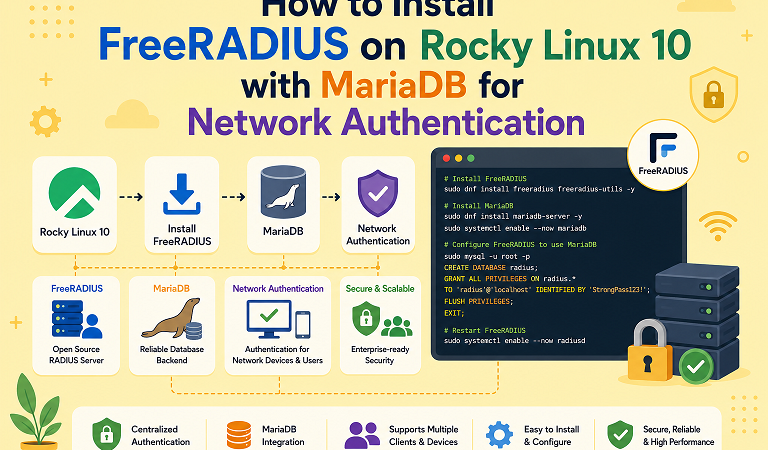
RADIUS is the protocol behind most Wi-Fi WPA2/WPA3-Enterprise logins, 802.1X switch-port authentication, and many VPN gateways. FreeRADIUS is the most widely deployed open-source RADIUS server, and storing users in MariaDB makes it easy to manage accounts, groups, VLANs, and accounting records with ordinary SQL.
This guide installs FreeRADIUS 3.2 on Rocky Linux 10 (the same steps apply to AlmaLinux 10 and RHEL 10), connects it to MariaDB, adds test users, assigns VLANs through group attributes, opens the firewall for only the networks you choose, keeps SELinux enforcing, and tests everything with radtest.
Table of Contents
- How RADIUS authentication works
- Prerequisites
- Step 1: Enable CRB and install packages
- Step 2: Install and secure MariaDB
- Step 3: Create the RADIUS database
- Step 4: Enable the SQL module
- Step 5: Activate SQL in the virtual server
- Step 6: Generate test certificates
- Step 7: Add a client (NAS) and users
- Step 8: Start in debug mode and test
- Step 9: Run as a service
- VLAN assignment with groups
- Firewall and SELinux
- Password storage options
- Troubleshooting
- FAQ
1. How RADIUS authentication works
    +---------+   802.1X / WPA-Enterprise   +-----------------+
 | Client  | --------------------------> | NAS / Switch /  |
 | (laptop)|                             | Wi-Fi AP / VPN  |
 +---------+                             +--------+--------+
                                                  | RADIUS Access-Request
                                                  | UDP 1812 (auth), 1813 (accounting)
                                                  | shared secret between NAS and server
                                          +-------v--------+
                                          |  FreeRADIUS    |
                                          |  (radiusd)     |
                                          +-------+--------+
                                                  | SQL queries
                                          +-------v--------+
                                          |    MariaDB     |
                                          | radcheck       |
                                          | radreply       |
                                          | radusergroup   |
                                          | radacct ...    |
                                          +----------------+
The NAS (Network Access Server) is the device that asks FreeRADIUS to authenticate a user. It is not the end user’s computer. Each NAS needs an entry in clients.conf or the nas table, with a shared secret.
| Table | Purpose |
|---|---|
radcheck | Per-user check attributes (password, expiry) |
radreply | Per-user reply attributes sent back to the NAS |
radusergroup | Maps users to groups |
radgroupcheck / radgroupreply | Check and reply attributes per group (VLAN, session limits) |
radacct | Accounting records (sessions, bytes, duration) |
radpostauth | Log of authentication attempts |
nas | Dynamic client list (optional) |
2. Prerequisites
| Requirement | Detail |
|---|---|
| OS | Rocky Linux 10 (AlmaLinux 10 or RHEL 10 work the same way) |
| Resources | 2 vCPU, 2 GB RAM minimum for a small deployment |
| Access | A user with sudo |
| Network | A NAS device or test host that can reach UDP 1812/1813 |
| SELinux | Enforcing (we keep it that way) |
Update the system first:
sudo dnf -y update
cat /etc/os-release | grep PRETTY_NAME
3. Step 1: Enable CRB and install packages
On current Rocky Linux and AlmaLinux releases the FreeRADIUS MySQL/MariaDB driver (freeradius-mysql) is provided through the CRB (CodeReady Builder) repository, which is disabled by default. If you skip this step the install fails with No match for argument: freeradius-mysql.
sudo dnf install -y dnf-plugins-core
sudo dnf config-manager --set-enabled crb
sudo dnf makecache

sudo dnf install -y freeradius freeradius-utils freeradius-mysql
Check what you got:
radiusd -v | head -3
rpm -q freeradius freeradius-mysql
Note: On RHEL itself, enable the repository with
subscription-manager repos --enable codeready-builder-for-rhel-10-x86_64-rpmsinstead.
4. Step 2: Install and secure MariaDB
sudo dnf install -y mariadb-server
sudo systemctl enable --now mariadb
sudo mariadb-secure-installation
Answer the prompts to set a root password, remove anonymous users, and disallow remote root login.
5. Step 3: Create the RADIUS database
Generate a password for the database user and store it somewhere safe:
DB_PASS=$(openssl rand -hex 24)
echo "radius DB password: $DB_PASS"
sudo mariadb <<EOF
CREATE DATABASE radius CHARACTER SET utf8mb4;
CREATE USER 'radius'@'localhost' IDENTIFIED BY '${DB_PASS}';
GRANT ALL PRIVILEGES ON radius.* TO 'radius'@'localhost';
FLUSH PRIVILEGES;
EOFImport the schema that ships with FreeRADIUS:
sudo bash -c "mariadb radius < /etc/raddb/mods-config/sql/main/mysql/schema.sql"
sudo mariadb radius -e "SHOW TABLES;"
You should see nas, radacct, radcheck, radgroupcheck, radgroupreply, radpostauth, radreply, radusergroup, and related tables.
6. Step 4: Enable the SQL module
FreeRADIUS enables a module by symlinking it from mods-available into mods-enabled.
sudo ln -s /etc/raddb/mods-available/sql /etc/raddb/mods-enabled/sql
sudo chgrp -h radiusd /etc/raddb/mods-enabled/sql
Edit the module configuration:
sudo vi /etc/raddb/mods-available/sqlChange these settings (the file is long; use search):
sql {
    # Default ships as rlm_sql_null, which connects to nothing
    driver = "rlm_sql_mysql"
    dialect = "mysql"

    server = "localhost"
    port = 3306
    login = "radius"
    password = "PASTE_DB_PASSWORD_HERE"
    radius_db = "radius"

    # Read NAS devices from the 'nas' table as well as clients.conf
    read_clients = yes
    client_table = "nas"

    mysql {
        # The default file ships with an active tls { } block pointing to
        # certificate files that do not exist. For a local socket connection,
        # comment out the whole tls block.
        #tls {
        #    ca_file = "/etc/ssl/certs/my_ca.crt"
        #    ...
        #}
    }
}
Validate the configuration syntax before going further:
sudo radiusd -XC
# Look for "Configuration appears to be OK"
7. Step 5: Activate SQL in the virtual server
Defining the module is not enough. The default virtual server must call sql in the right sections.
sudo vi /etc/raddb/sites-enabled/defaultMake sure sql (or -sql, where the leading dash means “do not fail if the module is missing”) is uncommented in these sections:
| Section | Why |
|---|---|
authorize { ... } | Looks up the user’s password and attributes |
accounting { ... } | Writes session records to radacct |
session { ... } | Optional: simultaneous-use checks |
post-auth { ... } | Writes to radpostauth; also the Post-Auth-Type REJECT block |
Quick check:
sudo grep -nE '^\s*-?sql\s*$' /etc/raddb/sites-enabled/defaultIf you use the inner-tunnel virtual server for EAP (PEAP, TTLS), apply the same authorize and post-auth changes in /etc/raddb/sites-enabled/inner-tunnel.
8. Step 6: Generate test certificates
Recent packages no longer create TLS certificates automatically, and the EAP module will refuse to load without server.pem.
cd /etc/raddb/certs
sudo make          # generates ca.pem, server.pem, client.pem and related files
sudo chown -R root:radiusd /etc/raddb/certs
sudo chmod 640 /etc/raddb/certs/*.pem /etc/raddb/certs/*.key 2>/dev/null
Production warning: These are test certificates for lab use. For real 802.1X deployments, issue the server certificate from your internal CA or a trusted CA, and distribute the CA certificate to clients so they can validate the server.
9. Step 7: Add a client (NAS) and users
Add a NAS. For a lab, the default localhost client in /etc/raddb/clients.conf (secret testing123) is enough. For a real access point or switch, add it to the nas table (because read_clients = yes):
sudo mariadb radius <<'EOF'
INSERT INTO nas (nasname, shortname, type, secret, description)
VALUES ('192.168.10.1', 'sw-core', 'other', 'REPLACE_WITH_LONG_RANDOM_SECRET', 'Core switch');
EOF
Use a long random shared secret per device. The same value goes into the switch or access point configuration.
Add a test user with a cleartext password attribute:
sudo mariadb radius <<'EOF'
INSERT INTO radcheck (username, attribute, op, value)
VALUES ('testuser', 'Cleartext-Password', ':=', 'TestPass123');
EOF
10. Step 8: Start in debug mode and test
Always run the first test in debug mode, where FreeRADIUS prints every decision to the terminal.
sudo systemctl stop radiusd
sudo radiusd -X
Wait for Ready to process requests. In a second terminal:
radtest testuser TestPass123 127.0.0.1 0 testing123Expected result:
Sent Access-Request Id 123 from 0.0.0.0:41234 to 127.0.0.1:1812 length 79
        User-Name = "testuser"
        ...
Received Access-Accept Id 123 from 127.0.0.1:1812 to 127.0.0.1:41234 length 20
Try a wrong password to confirm rejection:
radtest testuser WrongPass 127.0.0.1 0 testing123
# Received Access-Reject
Press Ctrl+C in the debug terminal when finished. Test an accounting packet as well:
echo "User-Name=testuser, Acct-Status-Type=Start, Acct-Session-Id=abc123, NAS-IP-Address=127.0.0.1" \
  | radclient -x 127.0.0.1:1813 acct testing123

sudo mariadb radius -e "SELECT username, acctsessionid, acctstarttime FROM radacct;"
11. Step 9: Run as a service
sudo systemctl enable --now radiusd
sudo systemctl status radiusd --no-pager
sudo journalctl -u radiusd -n 30 --no-pager
12. VLAN assignment with groups
A common 802.1X use case is placing users on different VLANs based on their group. FreeRADIUS returns standard tunnel attributes to the switch.
sudo mariadb radius <<'EOF'
-- Group reply attributes for the "staff" group (VLAN 20)
INSERT INTO radgroupreply (groupname, attribute, op, value) VALUES
 ('staff', 'Tunnel-Type', ':=', 'VLAN'),
 ('staff', 'Tunnel-Medium-Type', ':=', 'IEEE-802'),
 ('staff', 'Tunnel-Private-Group-Id', ':=', '20');

-- Put the test user in that group
INSERT INTO radusergroup (username, groupname, priority) VALUES ('testuser', 'staff', 1);
EOF
Run radtest again and look for the three Tunnel-* attributes in the Access-Accept. Your switch must support dynamic VLAN assignment and have the VLAN defined locally.
13. Firewall and SELinux
firewalld. FreeRADIUS uses UDP 1812 (authentication) and 1813 (accounting). A predefined service covers both:
sudo firewall-cmd --permanent --add-service=radius
sudo firewall-cmd --reload
That opens the ports to every source in the active zone. A tighter option is a rich rule limited to your network devices’ subnet:
sudo firewall-cmd --permanent --remove-service=radius
sudo firewall-cmd --permanent --add-rich-rule='rule family="ipv4" source address="192.168.10.0/24" service name="radius" accept'
sudo firewall-cmd --reload
sudo firewall-cmd --list-all
For more recipes, see firewalld on Rocky Linux 10: Zones, Rich Rules & Real-World Recipes.
SELinux. Keep it enforcing. The packaged policy lets radiusd talk to MariaDB over its local socket. If you place the database on another host, check for denials:
sudo ausearch -m avc -ts recent | grep radiusd
sudo sealert -a /var/log/audit/audit.log   # if setroubleshoot is installed
Do not run setenforce 0 as a fix. Our SELinux troubleshooting guide for Rocky Linux 10 shows how to read denials and apply a targeted fix.
14. Password storage options
Cleartext passwords are the simplest way to start, and they are required for some authentication methods. Know the trade-offs before you go to production.
| Attribute | Works with | Stored form | Notes |
|---|---|---|---|
Cleartext-Password | PAP, CHAP, MS-CHAPv2, EAP-MD5, PEAP-MSCHAPv2 | Plain text | Most compatible; protect the database tightly |
NT-Password | MS-CHAPv2, PEAP-MSCHAPv2 | NT hash | Compatible with Wi-Fi PEAP; hash is weak by modern standards |
SSHA2-256-Password (and similar salted hashes) | PAP only | Salted SHA-2 | Safer at rest, but cannot be used with CHAP/MS-CHAP |
| Crypt-style hashes | PAP only | Salted hash | Same limitation |
Choose according to the authentication methods your NAS devices and clients use. For PEAP-MSCHAPv2 Wi-Fi, you generally need Cleartext-Password or NT-Password. Restrict the radius database account to localhost, encrypt backups, and monitor access to radcheck.
15. Troubleshooting
| Symptom | Cause | Fix |
|---|---|---|
No match for argument: freeradius-mysql | CRB repository disabled | sudo dnf config-manager --set-enabled crb then reinstall |
Failed to load certificate file server.pem / EAP won’t load | No certificates generated | Run make in /etc/raddb/certs and fix group ownership |
rlm_sql (sql): Failed to load driver / uses rlm_sql_null | driver not changed in mods-available/sql | Set driver = "rlm_sql_mysql" and dialect = "mysql" |
| SQL connection fails with TLS or certificate errors | Default tls { } block references missing files | Comment out the tls block inside the mysql { } subsection |
Access-Reject for a valid user, “No Auth-Type found” | sql not enabled in authorize, or no password attribute | Uncomment sql in the site; check radcheck row and := operator |
Ignoring request to auth address * port 1812 from unknown client | NAS not defined | Add it to nas table (restart needed) or clients.conf |
Received packet from X with invalid Message-Authenticator / shared secret mismatch | Secret differs on NAS and server | Re-enter the identical secret on both sides |
Permission denied reading mods-enabled/sql | Symlink or file not readable by radiusd group | chgrp -h radiusd the symlink; chgrp radiusd the target |
Can't connect to local MySQL server through socket | MariaDB stopped | systemctl status mariadb |
Works in radiusd -X but not as a service | Different environment, SELinux, or file permissions | Check journalctl -u radiusd and ausearch -m avc |
| Packets arrive but no reply | Firewall | Verify firewall-cmd --list-all includes UDP 1812/1813 for your source subnet |
Debug workflow: stop the service, run radiusd -X, reproduce the failure, and read the last 20 lines before the reject. FreeRADIUS shows exactly which module said no.
16. FAQ
Can I use PostgreSQL instead of MariaDB?
Yes. Install freeradius-postgresql, use the PostgreSQL schema under mods-config/sql/main/postgresql/, and set driver = "rlm_sql_postgresql" and dialect = "postgresql".
Which FreeRADIUS version will I get?
Rocky Linux 10 ships the FreeRADIUS 3.2 series in its repositories. Run radiusd -v to see the exact build.
Do I need a web interface?
No. Everything here works with SQL and the command line. If you want a GUI, daloRADIUS is a popular PHP front end that sits on the same database.
How do I monitor the server?
Export system and service metrics with Prometheus and Grafana; see Prometheus and Grafana on Rocky Linux 10. Also watch the radpostauth table for reject spikes.
Is cleartext password storage acceptable?
It is common and sometimes required for MS-CHAPv2-based methods. Compensate with a locked-down database, encrypted backups, and a dedicated database host for larger deployments.
Can I authenticate against Active Directory or LDAP instead?
Yes. Install freeradius-ldap (and Samba/winbind for ntlm_auth with AD) and configure the ldap module. The SQL setup above can still hold accounting data.
Related posts:
 How To Install Java 8 (OpenJDK 8) On Rocky Linux 8
 How To Install Node.Js On Rocky Linux 8
 How To Install Wireshark On Ubuntu 20.04 LTS
 How To Install Sublime Text 4 On Rocky Linux 8
 A Complete Guide to FreeRADIUS: Features, Installation, and Configuration
 How to Install n8n on Rocky Linux 10.2: Native, Docker & Systemd Setup Guide
 Apple iPhone 17 Pro Max: Everything You Need to Know
 Apache Iceberg: The Next-Generation Table Format for Big Data Analytics
