Server Hardening Guide: Linux Security Best Practices for 2025

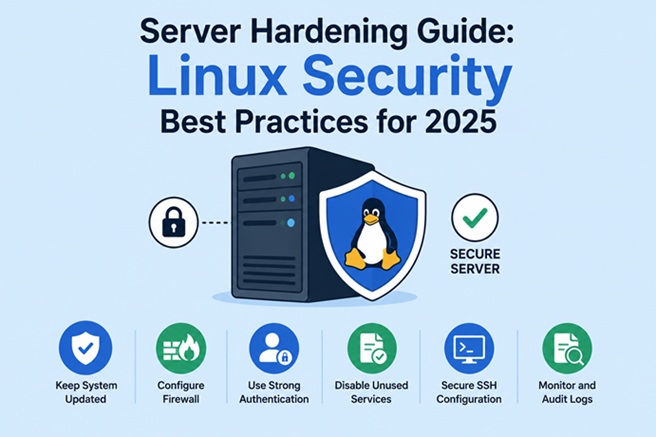
Server security is no longer optional. In 2025, Linux servers are facing increasingly sophisticated threats—from automated bot attacks to targeted exploitation of misconfigured systems. Server hardening is the first and most important step to reduce your attack surface and protect critical infrastructure.
This guide provides a practical, up-to-date Linux server hardening checklist with best practices you can apply today, whether you manage cloud servers, on-premise systems, or production workloads.
What Is Server Hardening?
Server hardening is the process of securing a system by reducing vulnerabilities, removing unnecessary components, and enforcing strict security configurations.
The goal is simple:
- Minimize attack vectors
- Prevent unauthorized access
- Reduce damage if a breach occurs
- Ensure compliance and system stability
Linux is inherently secure, but default configurations are not designed for production environments.
Why Linux Server Hardening Is Critical in 2025
In 2025, attackers are faster and more automated than ever. Common threats include:
- Brute-force SSH attacks
- Exploitation of outdated packages
- Misconfigured firewall rules
- Privilege escalation
- Ransomware targeting Linux servers
Hardening your Linux server dramatically lowers the risk of compromise and downtime.
1. Keep the System Updated (Always)
Outdated software remains the #1 cause of server breaches.
Best Practices
- Enable automatic security updates
- Regularly patch the kernel and critical packages
- Remove unsupported repositories
Example (Ubuntu/Debian):
sudo apt update && sudo apt upgrade -yFor production servers, always test updates in staging before deploying.
2. Secure SSH Access
SSH is the most common attack entry point on Linux servers.
Essential SSH Hardening Steps
- Disable root login
- Use SSH key authentication only
- Change the default SSH port
- Limit SSH access to trusted IPs
Edit SSH config:
sudo nano /etc/ssh/sshd_configRecommended settings:
PermitRootLogin no
PasswordAuthentication no
Port 2222
Restart SSH:
sudo systemctl restart sshd3. Create a Strong User and Permission Policy
Never operate daily tasks as root.
Best Practices
- Create individual user accounts
- Grant sudo access only when necessary
- Apply the principle of least privilege
Check sudo users:
sudo getent group sudoRemove unused or inactive users regularly.
4. Configure a Firewall Properly
A firewall ensures that only required services are accessible.
Recommended Tools
- UFW (Ubuntu)
- firewalld (CentOS / Rocky Linux)
Example using UFW:
sudo ufw default deny incoming
sudo ufw default allow outgoing
sudo ufw allow 2222/tcp
sudo ufw enable
Only open ports that are absolutely necessary.
5. Disable Unnecessary Services
Every running service increases your attack surface.
Best Practices
- Remove unused packages
- Disable services you don’t need
- Avoid installing GUI components on servers
Check running services:
systemctl list-unit-files --type=service6. Install Intrusion Prevention Tools
Automated attacks require automated defenses.
Recommended Tools
- Fail2Ban – blocks brute-force attacks
- CrowdSec – community-driven threat intelligence
Fail2Ban example:
sudo apt install fail2ban -yThis protects services like SSH, FTP, and web servers from repeated failed login attempts.
7. Enforce Strong Password Policies
Even with SSH keys, password policies still matter.
Recommended Rules
- Minimum password length
- Password expiration
- Prevent reuse of old passwords
Use PAM configuration to enforce password strength:
sudo apt install libpam-pwquality8. Enable SELinux or AppArmor
Mandatory Access Control (MAC) adds an extra security layer.
Why It Matters
- Restricts what services can access
- Limits damage from compromised applications
- Prevents privilege escalation
For Ubuntu:
- AppArmor is enabled by default
For CentOS/RHEL:
- Use SELinux in enforcing mode
Never disable these tools in production unless absolutely necessary.
9. Enable Logging, Monitoring, and Auditing
You can’t secure what you don’t monitor.
Best Practices
- Enable system logging
- Monitor authentication attempts
- Track file changes
Recommended tools:
- auditd
- rsyslog
- Prometheus + Grafana
- Wazuh or OSSEC
Logs should be stored securely and reviewed regularly.
10. Secure File Permissions and Ownership
Misconfigured file permissions are a common weakness.
Best Practices
- Restrict access to sensitive files
- Protect configuration files
- Secure
/etc,/var, and application directories
Example:
chmod 600 /etc/ssh/sshd_configNever allow world-writable permissions on critical files.
11. Encrypt Data and Enable Secure Protocols
In 2025, encryption is mandatory—not optional.
Recommendations
- Use HTTPS with TLS 1.2 or TLS 1.3
- Encrypt disks using LUKS
- Use secure transfer protocols (SFTP, SCP)
Disable insecure protocols like:
- FTP
- Telnet
- HTTP (without TLS)
12. Perform Regular Backups and Recovery Testing
Security also means being able to recover.
Best Practices
- Automate daily backups
- Store backups off-site
- Encrypt backup files
- Test restore procedures
A hardened server without backups is still vulnerable.
Common Linux Server Hardening Mistakes
Avoid these frequent errors:
- Leaving default configurations
- Exposing SSH to the public internet
- Ignoring log files
- Disabling SELinux/AppArmor
- Delaying security updates
Linux Server Hardening Checklist (Quick Summary)
- ✅ Update system regularly
- ✅ Secure SSH access
- ✅ Configure firewall
- ✅ Disable unused services
- ✅ Install intrusion prevention
- ✅ Enforce access control
- ✅ Enable monitoring & logging
- ✅ Encrypt data
- ✅ Maintain backups
Summary
Server hardening is not a one-time task—it’s an ongoing process. In 2025, Linux security best practices must adapt to evolving threats, automation, and cloud-native environments.
By applying the steps in this Linux Server Hardening Guide, you significantly reduce security risks, improve system stability, and protect your infrastructure against modern attacks. A secure server is a reliable server.
Related posts:
 Getting Started with Metasploit: The Ultimate Penetration Testing Framework
 How To Install Lynis on Ubuntu (20.04 & 22.04) : A Complete Security Auditing Guide
 OpenVAS and Network Security: A Complete Guide to Vulnerability Scanning
 How To Install Wireshark On Ubuntu 20.04 LTS
 How to Install Nessus Scanner on CentOS Stream 10 — Complete Step-by-Step Guide
 How to Install OpenVAS on Docker: A Complete Step-by-Step Guide
 Trivy Docker Security: How to Scan and Fix Container Vulnerabilities
 Docker Compose Security: Complete Hardening Guide for 2026
