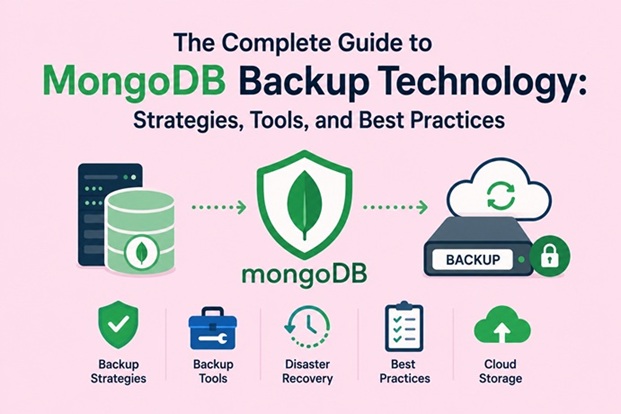
The Complete Guide to MongoDB Backup Technology: Strategies, Tools, and Best Practices

Introduction
Data is the lifeblood of modern applications, and no database administrator or developer should ever take its safety for granted. MongoDB, one of the world’s most widely adopted NoSQL databases, powers everything from e-commerce platforms and social networks to financial systems and IoT pipelines. Yet even the most robust and well-architected MongoDB deployment is only as reliable as its backup strategy.
The question is not whether your data will face risk — it is when. Hardware failures, accidental deletions, ransomware attacks, software bugs, and even innocent misconfigurations can wipe out years of irreplaceable data in minutes. A well-designed backup strategy is your last line of defense, and for MongoDB, the options are richer, more flexible, and more powerful than ever before.
This guide takes a deep dive into the full landscape of MongoDB backup technology. Whether you are managing a self-hosted replica set, a sharded cluster, or a cloud-native Atlas deployment, you will walk away with a clear understanding of your tools, the trade-offs between strategies, and a set of actionable best practices that you can apply immediately.
Understanding What You Are Protecting
Before exploring backup tools and methods, it is essential to understand the structure of a MongoDB deployment, because your architecture
directly determines which backup approaches are viable and which are not.
Standalone Instances
A standalone MongoDB instance is the simplest deployment — a single mongod process with no redundancy. Standalone instances are typically used only in development environments. Backing them up is straightforward, but they provide zero high availability, meaning any failure results in immediate downtime.
Replica Sets
A replica set consists of a primary node that accepts writes and one or more secondary nodes that replicate data asynchronously. This is the minimum recommended configuration for production. Replica sets are self-healing: if the primary fails, one of the secondaries is automatically elected as the new primary.
From a backup perspective, replica sets offer a significant advantage: you can run backups against a secondary without impacting the performance of your primary. This is a technique that virtually every production DBA should be using.
Sharded Clusters
A sharded cluster distributes data across multiple shards, each of which is itself a replica set. Sharded clusters also include config servers (which store metadata) and mongos routers. Backing up a sharded cluster is substantially more complex because you must capture a consistent snapshot across all shards simultaneously — otherwise, you risk capturing an inconsistent state where some documents exist on one shard but their related data on another shard reflects a different point in time.
Understanding this topology is non-negotiable before you design a backup strategy.
The Core Concepts of MongoDB Backup
Recovery Point Objective (RPO)
RPO defines the maximum acceptable amount of data loss, measured in time. If your RPO is one hour, your backup strategy must ensure that you can always recover to a state no more than one hour old. A lower RPO requires more frequent backups and, often, more sophisticated tooling.
Recovery Time Objective (RTO)
RTO defines how quickly you must restore service after a failure. If your RTO is two hours, your restore process — including the time to spin up infrastructure, restore data, validate integrity, and redirect traffic — must complete within that window. RTO drives decisions around backup storage format, infrastructure pre-provisioning, and automation.
Consistency
A consistent backup captures the database at a single logical point in time, with no partial transactions or in-flight writes included. Inconsistent backups are dangerous because restoring them may produce data anomalies, broken references, or application errors.
Native MongoDB Backup Tools
MongoDB ships with several built-in utilities for backup, each suited to different use cases.
mongodump and mongorestore
mongodump is the most widely known MongoDB backup utility. It connects to a running mongod or mongos instance and exports data as BSON files, with accompanying JSON metadata files. mongorestore then reads these files and imports them back into a MongoDB instance.
How mongodump works:
# Basic backup of all databases
mongodump --host localhost --port 27017 --out /backup/$(date +%Y%m%d)

# Backup a specific database
mongodump --uri="mongodb://user:password@host:27017" --db myDatabase --out /backup/

# Backup with oplog for point-in-time consistency
mongodump --oplog --out /backup/
The --oplog flag is critical for replica set backups. When used, mongodump also captures oplog entries that occurred during the dump process, which allows you to replay those operations and bring the backup to a fully consistent state — even if writes continued during the backup window.
Restoring with mongorestore:
# Restore all databases
mongorestore /backup/20240601/

# Restore a specific database with oplog replay
mongorestore --oplogReplay /backup/20240601/

# Restore to a different database name
mongorestore --nsFrom "oldDB.*" --nsTo "newDB.*" /backup/
Strengths of mongodump:
- Simple to use and script
- No additional infrastructure required
- Human-readable BSON/JSON output
- Selective restore (by database, collection, or document filter)
Limitations of mongodump:
- Slow for large datasets because it reads data over the network
- Not suitable for sharded clusters without additional coordination
- Logical backups do not capture filesystem-level state
- Restoring large backups takes significant time
mongodump is an excellent tool for development environments, small databases, and situations where granular restore capability matters more than raw speed.
MongoDB Database Tools: mongoexport and mongoimport
While not strictly backup tools, mongoexport and mongoimport allow you to export and import collections in JSON or CSV format. These are useful for migrating data between systems, sharing datasets, or archiving specific collections for compliance purposes. They should not be used as your primary backup mechanism because they do not preserve all MongoDB-specific data types faithfully.
Filesystem Snapshot Backups
For large datasets where mongodump is too slow or disruptive, filesystem-level snapshots are the industry standard approach.
How Snapshot Backups Work
A filesystem snapshot captures the state of a volume at a specific instant. When combined with MongoDB’s journaling and a brief write lock (or the WiredTiger storage engine’s checkpoint mechanism), snapshots produce consistent backups with near-zero downtime.
The general process:
- Flush in-memory data to disk (or leverage WiredTiger’s checkpoint)
- Take a snapshot of the MongoDB data volume
- Allow writes to resume immediately
- Copy or archive the snapshot at your leisure
LVM Snapshot Example (Linux):
# Create an LVM snapshot
lvcreate --size 10G --snapshot --name mongodb-snap /dev/vg0/mongodb

# Mount the snapshot
mount /dev/vg0/mongodb-snap /mnt/mongodb-backup

# Archive the data
tar -czf /backup/mongodb-$(date +%Y%m%d).tar.gz /mnt/mongodb-backup

# Unmount and remove the snapshot
umount /mnt/mongodb-backup
lvremove -f /dev/vg0/mongodb-snap
Cloud Provider Snapshots:
All major cloud providers offer block storage snapshot capabilities that work seamlessly with MongoDB:
- AWS: EBS snapshots via the AWS CLI or Backup service
- Google Cloud: Persistent Disk snapshots
- Azure: Azure Managed Disk snapshots
Cloud snapshots are particularly powerful because they are incremental after the first full snapshot, storage-efficient, and can be automated using native cloud scheduling tools.
WiredTiger and Snapshot Consistency
MongoDB’s default storage engine, WiredTiger, uses a checkpoint mechanism that writes a consistent snapshot of data to disk every 60 seconds by default. Because WiredTiger uses copy-on-write semantics, you can take a filesystem snapshot at any point and be confident that the on-disk data is in a consistent state — as long as journaling is enabled (which it is by default).
This eliminates the need to flush or lock the database before taking a snapshot in most modern MongoDB deployments, making snapshot backups extremely fast and low-impact.
MongoDB Ops Manager and Cloud Manager
For organizations running MongoDB at scale in self-hosted environments, MongoDB Ops Manager is the enterprise-grade solution for backup, monitoring, and automation.
What Ops Manager Provides
Ops Manager is an on-premises application that manages your MongoDB fleet. Its backup module offers:
- Continuous backup with oplog tailing: Ops Manager continuously reads the oplog from your MongoDB replica sets and stores oplog slices, enabling recovery to any point in time within the retention window — down to the second.
- Snapshot management: Ops Manager takes periodic snapshots (typically every 6 or 24 hours) and stores them in a backup blockstore. Between snapshots, the oplog allows point-in-time recovery.
- Centralized management: A single web UI to configure, monitor, and restore backups across all your MongoDB deployments.
- Queryable backups: Ops Manager can spin up a temporary MongoDB instance from a snapshot, allowing you to query the backup before committing to a full restore.
- Automated restore: Restore to the original cluster, a new cluster, or a specific point in time, all from the Ops Manager interface.
Cloud Manager is the hosted version of Ops Manager offered by MongoDB as a SaaS service. It provides the same backup capabilities without the operational overhead of running Ops Manager yourself.
Ops Manager Backup Architecture
The Ops Manager backup system consists of:
- Backup Agent: A lightweight agent installed alongside each MongoDB instance that captures oplog data and coordinates snapshots.
- Blockstore: A MongoDB database (separate from your production cluster) that stores backup data as deduplicated blocks.
- File System Store: An alternative storage backend that writes snapshots directly to a filesystem or NFS mount.
- S3-compatible store: Ops Manager 6.x and later support storing backups in S3-compatible object storage, dramatically reducing storage costs.
MongoDB Atlas Backup
If you are running MongoDB Atlas — MongoDB’s fully managed cloud database service — backup is built in and requires minimal configuration.
Continuous Cloud Backup
Atlas Continuous Cloud Backup (CCB) is the default and recommended backup solution for Atlas clusters. It works by:
- Taking base snapshots of your cluster at a configurable schedule (every 6 hours, daily, weekly, or monthly)
- Continuously capturing oplog data between snapshots
- Enabling point-in-time restore to any second within the retention period
You can configure retention policies independently for each snapshot tier:
- Hourly snapshots: retained for 2 days
- Daily snapshots: retained for 7 days
- Weekly snapshots: retained for 4 weeks
- Monthly snapshots: retained for 12 months
All backup data is stored in the same cloud region as your Atlas cluster by default, with the option to enable cross-region backup for additional resilience.
Serverless and Flex Cluster Backup
Atlas also provides automatic backup for its Serverless and Flex instance types, though with different restore granularities. Serverless instances support snapshot-based backups with restore to a new cluster, while Flex clusters offer continuous backup comparable to dedicated Atlas clusters.
Queryable Backups in Atlas
One of Atlas’s most powerful features is the ability to query a backup snapshot directly without performing a full restore. Atlas spins up a temporary MongoDB instance loaded from the snapshot, gives you read-only access, and automatically terminates it after your session. This is invaluable for:
- Auditing data at a specific point in time
- Recovering a subset of documents without a full restore
- Investigating data corruption or accidental deletion
Implementing Point-in-Time Recovery with the Oplog
The MongoDB oplog (operations log) is a special capped collection in the local database of every replica set member. It records every write operation that modifies data in a form that is idempotent — meaning each operation can be replayed multiple times with the same result.
Using the Oplog for PITR
Point-in-time recovery (PITR) combines a base snapshot with oplog replay:
- Identify the base snapshot: Choose the most recent snapshot taken before the target recovery time.
- Restore the snapshot: Use
mongorestoreor a filesystem restore to bring the database to the snapshot’s state. - Collect oplog data: Gather oplog entries from the snapshot timestamp up to the target recovery time.
- Replay the oplog: Use
mongorestore --oplogReplaywith a custom oplog.bson file to apply the recorded operations.
# Step 1: Restore base snapshot
mongorestore --drop /backup/base-snapshot/

# Step 2: Filter oplog entries up to the target timestamp
# Target time: 2024-06-01T14:30:00 UTC = Unix timestamp 1717248600
bsondump /backup/oplog.bson | \
  python3 filter_oplog.py --until 1717248600 > /tmp/filtered-oplog.bson

# Step 3: Replay filtered oplog
mongorestore --oplogReplay --oplogFile /tmp/filtered-oplog.bson
This technique gives you surgical precision when recovering from accidental data loss — you can restore to the exact second before the damaging operation occurred.
Backup Strategies for Sharded Clusters
Sharded clusters present unique challenges because data is distributed across multiple shards. A naive approach — backing up each shard independently at different times — produces an inconsistent backup.
The Correct Approach
Step 1: Stop the balancer
The MongoDB balancer moves chunks of data between shards to maintain even distribution. You must stop the balancer before taking a backup to prevent data from migrating during the process.
sh.stopBalancer()Step 2: Backup the config servers
The config servers hold the cluster metadata, including the mapping of chunks to shards. Back these up first.
Step 3: Backup each shard simultaneously
Trigger backups on all shards at the same time (or within the same checkpoint window) to ensure consistency.
Step 4: Restart the balancer
sh.startBalancer()For large sharded clusters, using Ops Manager or Atlas is strongly recommended because they handle this coordination automatically.
Automating MongoDB Backups
Manual backups are error-prone and easy to forget. Automation is non-negotiable for any production system.
Shell Scripts with Cron
For simple deployments, a shell script scheduled with cron provides a reliable foundation:
#!/bin/bash
# /usr/local/bin/mongodb-backup.sh

BACKUP_DIR="/backup/mongodb"
DATE=$(date +%Y%m%d_%H%M%S)
BACKUP_PATH="$BACKUP_DIR/$DATE"
RETENTION_DAYS=7
MONGODB_URI="mongodb://backupUser:password@localhost:27017"

# Create backup directory
mkdir -p "$BACKUP_PATH"

# Run mongodump
mongodump \
  --uri="$MONGODB_URI" \
  --oplog \
  --gzip \
  --out="$BACKUP_PATH"

# Check exit status
if [ $? -eq 0 ]; then
  echo "[$(date)] Backup succeeded: $BACKUP_PATH"
  # Upload to S3
  aws s3 sync "$BACKUP_PATH" "s3://my-backup-bucket/mongodb/$DATE/"
else
  echo "[$(date)] Backup FAILED" >&2
  # Send alert
  curl -X POST "$ALERT_WEBHOOK" -d '{"text":"MongoDB backup failed!"}'
fi

# Remove local backups older than retention period
find "$BACKUP_DIR" -type d -mtime +$RETENTION_DAYS -exec rm -rf {} +
Schedule with cron:
# Run daily at 2:00 AM
0 2 * * * /usr/local/bin/mongodb-backup.sh >> /var/log/mongodb-backup.log 2>&1
Infrastructure-as-Code with Terraform and Ansible
For teams managing infrastructure at scale, backup automation belongs in your infrastructure code. Ansible roles can configure backup agents, manage retention policies, and alert on failures. Terraform can provision cloud backup schedules alongside your MongoDB infrastructure.
Kubernetes CronJobs
If your MongoDB deployment runs in Kubernetes, a CronJob resource is the idiomatic way to schedule backups:
apiVersion: batch/v1
kind: CronJob
metadata:
  name: mongodb-backup
spec:
  schedule: "0 2 * * *"
  jobTemplate:
    spec:
      template:
        spec:
          containers:
          - name: backup
            image: mongo:7.0
            command:
            - /bin/sh
            - -c
            - |
              mongodump --uri="$MONGODB_URI" --oplog --gzip --out=/backup/$(date +%Y%m%d)
              aws s3 sync /backup/ s3://my-bucket/mongodb/
            env:
            - name: MONGODB_URI
              valueFrom:
                secretKeyRef:
                  name: mongodb-secret
                  key: uri
          restartPolicy: OnFailure
Security Considerations for MongoDB Backups
Backup data is often an overlooked attack surface. A backup file contains a complete copy of your production data — which means it carries the same sensitivity and requires the same protection.
Encryption at Rest
Always encrypt backup files before storing them. MongoDB’s WiredTiger storage engine supports encryption at rest natively (available in MongoDB Enterprise), which means snapshots taken at the filesystem level inherit this encryption.
For mongodump backups, encrypt the output:
# Encrypt with GPG
mongodump --gzip --archive | gpg --symmetric --cipher-algo AES256 > backup.gpg

# Decrypt when needed
gpg --decrypt backup.gpg | mongorestore --gzip --archive
Encryption in Transit
Always use TLS when connecting mongodump or backup agents to your MongoDB instances. Never transmit backup data over unencrypted connections.
Access Control
- Create a dedicated backup user with the minimum required permissions (
backupandrestorebuilt-in roles). - Store credentials in a secrets manager (AWS Secrets Manager, HashiCorp Vault, Kubernetes Secrets) rather than in plain text configuration files.
- Restrict access to backup storage (S3 buckets, NFS mounts) to only the systems and users that need it.
- Enable versioning and MFA delete on S3 backup buckets to protect against ransomware.
Backup User Permissions
db.createUser({
  user: "backupAgent",
  pwd: "strongPasswordHere",
  roles: [
    { role: "backup", db: "admin" },
    { role: "restore", db: "admin" }
  ]
})
Testing Your Backups: The Most Important Step
A backup that has never been tested is not a backup — it is a hypothesis. Backup testing is one of the most critical and most neglected practices in database operations.
What to Test
1. Restore completeness: Does the restored database contain all the expected data?
2. Data integrity: Are documents correctly formed? Are indexes present and valid? Are relationships intact?
3. Application compatibility: Can your application connect to and query the restored database without errors?
4. Restore time: How long does restoration actually take? Is it within your RTO?
5. Point-in-time accuracy: When performing PITR, does the restored state reflect the correct moment in time?
Testing Approaches
Automated restore testing: Run a weekly automated test that restores your most recent backup to a temporary instance, runs a validation query against known data, and alerts on failure or discrepancy.
Chaos engineering: Periodically simulate a real failure scenario — drop a collection, corrupt a document, or terminate the primary — and practice your recovery runbook against a non-production environment.
Recovery runbook drills: Ensure that multiple team members know how to execute the recovery process, not just the one person who set it up.
MongoDB Backup Best Practices Summary
1. Choose the right tool for your scale: Use mongodump for small databases and development. Use filesystem snapshots or Ops Manager for large production deployments. Use Atlas backup for cloud-native workloads.
2. Always back up secondaries: Run backups against a secondary node in your replica set to eliminate impact on production read/write performance.
3. Enable oplog-based point-in-time recovery: Snapshot backups alone are insufficient for most production applications. Combine them with oplog tailing for PITR capability.
4. Store backups off-site: Never store backups on the same host or in the same availability zone as your production data. Follow the 3-2-1 rule: three copies of data, on two different media, with one stored off-site.
5. Automate everything: Manual backup processes will eventually be skipped or forgotten. Automate scheduling, monitoring, alerting, and retention management.
6. Encrypt all backup data: Treat backup files with the same security posture as your live database.
7. Monitor backup jobs: Set up alerting for backup failures, unexpected durations, or missing backups.
8. Test restores regularly: Run automated restore tests at least weekly. Conduct full drill exercises quarterly.
9. Document your recovery procedures: A runbook that lives only in one engineer’s head is not a runbook. Document every recovery procedure, keep it current, and ensure the whole team is familiar with it.
10. Align your strategy with your RPO and RTO: Do not invest in continuous PITR if your business can tolerate a 24-hour data loss. Conversely, do not rely on daily snapshots if your RPO is measured in minutes.
Conclusion
MongoDB backup technology has matured significantly over the years, offering a spectrum of solutions from the simple mongodump utility to the sophisticated continuous backup capabilities of MongoDB Atlas and Ops Manager. The right strategy depends on your deployment architecture, your recovery objectives, your budget, and your operational capacity.
What is non-negotiable, however, is that some strategy must be in place — documented, automated, monitored, and tested. The cost of implementing a robust backup strategy is always a fraction of the cost of a data loss event.
Start with your RPO and RTO requirements, map those to the backup methods described in this guide, automate aggressively, and never let a backup go untested. Your future self — and your users — will thank you.
Related posts:
 How To Install MongoDB Community Edition on Linux CentOS 7
 NetBackup 10.1.1 Status Codes
 How To Install UrBackup on Ubuntu 22.04 LTS
 Apache CouchDB vs MongoDB: Which NoSQL Database is Right for You?
 Best Free & Open Source Backup Solutions for 2025 (Expert Guide)
 How To Drop Database on MongoDB: A Complete Beginner’s Guide
MongoDB Troubleshooting Guide: Common Issues and How to Fix Them
How To Drop Database on MongoDB: A Complete Beginner’s Guide
MongoDB Troubleshooting Guide: Common Issues and How to Fix Them
 How to Fix Common MongoDB Issues (Connection, Query, Locking)
