How to Deploy PostgreSQL on Kubernetes with Persistent Storage (2026 Guide)

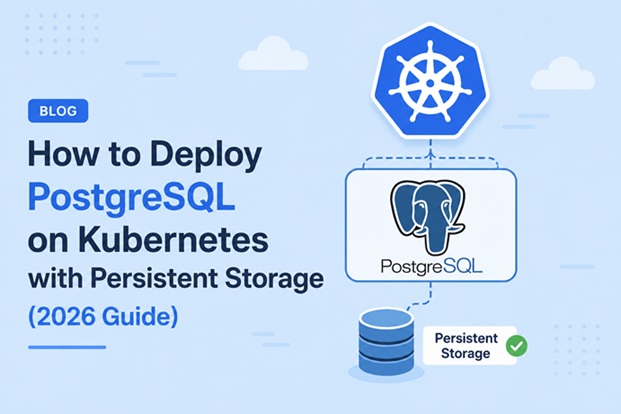
Running a stateful database like PostgreSQL on Kubernetes used to make experienced sysadmins nervous — and for good reason. Kubernetes was built with stateless workloads in mind, and a database that loses its data on every pod restart is worse than useless. But with StatefulSets, PersistentVolumeClaims, and a mature ecosystem of storage drivers and operators, PostgreSQL on Kubernetes is now a well-trodden, production-grade pattern used by companies of every size.
This guide walks through the entire process: from understanding how Kubernetes storage primitives work, to deploying a single-instance PostgreSQL StatefulSet with persistent storage, to scaling toward a highly available cluster with Patroni or CloudNativePG. By the end, you will have a working, durable PostgreSQL deployment and a clear mental model of why each manifest is structured the way it is.
Table of Contents
- Why Run PostgreSQL on Kubernetes
- Core Concepts: PV, PVC, and StorageClass
- Architecture Overview
- Prerequisites
- Step 1 — Create a Namespace
- Step 2 — Define a StorageClass
- Step 3 — Create a Secret for Credentials
- Step 4 — Create a ConfigMap for PostgreSQL Configuration
- Step 5 — Deploy PostgreSQL as a StatefulSet
- Step 6 — Expose PostgreSQL with a Service
- Step 7 — Verify the Deployment
- Comparing Persistent Storage Options
- Deploying with Helm (Alternative Method)
- Backup and Restore Strategy
- High Availability with Patroni or CloudNativePG
- Monitoring PostgreSQL on Kubernetes
- Security Best Practices
- Performance Tuning Tips
- Troubleshooting Guide
- Conclusion
- FAQ
Why Run PostgreSQL on Kubernetes
Teams that already run their application layer on Kubernetes often want their database on the same platform for a few practical reasons:
- Unified operations. One control plane, one set of RBAC policies, one monitoring stack for both app and database.
- Declarative infrastructure. The entire PostgreSQL topology — storage, config, secrets, networking — lives in version-controlled YAML instead of manual server provisioning.
- Portability. The same manifests can run on-premises, on a bare-metal cluster, or on any major cloud provider’s managed Kubernetes offering with only the StorageClass changed.
- Self-healing. Kubernetes automatically reschedules a failed PostgreSQL pod, and — as long as storage is truly persistent — the database resumes with no data loss.
The trade-off is complexity: you now own the operational burden of persistent storage, backup automation, and failover logic that a managed database service would otherwise handle. This guide assumes that trade-off is intentional and shows how to do it correctly.
Core Concepts: PV, PVC, and StorageClass
Before touching any YAML, it helps to understand the three building blocks Kubernetes uses to give a pod durable disk space.
- PersistentVolume (PV): A piece of storage in the cluster, provisioned either manually by an administrator or dynamically by a StorageClass. It exists independently of any pod’s lifecycle.
- PersistentVolumeClaim (PVC): A request for storage made by a pod. The PVC specifies size and access mode; Kubernetes binds it to a matching PV.
- StorageClass: A template that defines how PVs get created — which storage backend (CSI driver) to use, the reclaim policy, and volume parameters like disk type or IOPS.
The relationship looks like this:
 ┌────────────┐      requests      ┌─────────────┐      binds to       ┌──────────────┐
 │  Pod       │ ─────────────────▶│    PVC      │ ──────────────────▶ │     PV       │
 │(PostgreSQL)│                    │(1 per pod)  │                     │(actual disk) │
 └────────────┘                    └─────────────┘                     └──────────────┘
                                          ▲
                                          │ dynamically provisioned by
                                          │
                                   ┌─────────────┐
                                   │StorageClass │
                                   │(e.g. gp3,   │
                                   │ ssd, nfs)   │
                                   └─────────────┘
For PostgreSQL specifically, the PVC must use ReadWriteOnce (RWO) access mode, since only one pod should ever write to the data directory at a time. Using ReadWriteMany for a single PostgreSQL instance’s data directory is a common and dangerous misconfiguration — PostgreSQL is not designed for concurrent writers on the same data files.
Architecture Overview
Here is the full architecture this guide builds, in ASCII form:
                         ┌─────────────────────────────────────────┐
                         │         Kubernetes Namespace            │
                         │               postgres                  │
                         │                                         │
                         │┌───────────────┐     ┌────────────────┐ │
   Application Pods ───▶│ │  Service     │───▶│  StatefulSet    │ │
   (via ClusterIP)       ││  postgres-svc │    │  postgres-sts   │ │
                         │└───────────────┘    │  (1..N replicas)│ │
                         │                     └────────┬────────┘ │
                         │                              │          │
                         │                     ┌────────▼────────┐ │
                         │                    │  Pod: postgres-0 │ │
                         │                    │  ┌─────────────┐ │ │
                         │                    │  │ PostgreSQL  │ │ │
                         │                    │  │ container   │ │ │
                         │                    │  └──────┬──────┘ │ │
                         │                    └─────────┼────────┘ │
                         │                              │          │
                         │                    ┌─────────▼────────┐ │
                         │                    │       PVC        │ │
                         │                    │ postgres-data-0  │ │
                         │                    └─────────┬────────┘ │
                         │                              │          │
                         └──────────────────────────────┼──────────┘
                                                                │
                                                       ┌────────▼────────┐
                                                       │  V / CSI Disk   │
                                                       │(EBS/PD/Longhorn)│
                                                       └─────────────────┘
Key design decisions embedded in this architecture:
- A StatefulSet instead of a Deployment, so each replica gets a stable hostname (
postgres-0,postgres-1, …) and its own dedicated PVC viavolumeClaimTemplates. - A headless Service for stable DNS-based pod discovery, which matters once you introduce replication.
- Secrets and ConfigMaps kept separate from the StatefulSet manifest so credentials never live in plain YAML committed to Git.
Prerequisites
Before starting, make sure you have:
- A working Kubernetes cluster (v1.28+) — this can be a managed cluster (EKS, GKE, AKS) or a self-managed cluster (kubeadm, k3s, RKE2).
kubectlconfigured and authenticated against the cluster.- A CSI (Container Storage Interface) driver installed and functioning, so dynamic provisioning works. Most managed Kubernetes services ship with one by default (
gp2/gp3on EKS,pd-standard/pd-ssdon GKE,managed-csion AKS). - At least 2 vCPU and 4 GB RAM of spare capacity on a worker node for a single PostgreSQL instance.
helm(v3+) installed if you plan to follow the Helm-based alternative in this guide.
Step 1 — Create a Namespace
Isolate the database workload in its own namespace for cleaner RBAC and resource quota management.
kubectl create namespace postgresStep 2 — Define a StorageClass
If your cluster already has a default StorageClass, you can skip this step and reference it directly. Otherwise, define one explicitly so you control the reclaim policy — Retain is strongly recommended for databases so a deleted PVC does not silently destroy your data.
# storageclass.yaml
apiVersion: storage.k8s.io/v1
kind: StorageClass
metadata:
  name: postgres-ssd
provisioner: ebs.csi.aws.com   # change to your CSI driver, e.g. pd.csi.storage.gke.io
parameters:
  type: gp3
  fsType: ext4
reclaimPolicy: Retain
volumeBindingMode: WaitForFirstConsumer
allowVolumeExpansion: true
kubectl apply -f storageclass.yamlvolumeBindingMode: WaitForFirstConsumer delays volume binding until a pod actually needs it, which avoids scheduling a PostgreSQL pod on a node in a different availability zone than its disk — a subtle but common cause of pods stuck in Pending.
Step 3 — Create a Secret for Credentials
Never hardcode database credentials in a StatefulSet manifest. Store them as a Kubernetes Secret.
kubectl create secret generic postgres-secret \
  --namespace postgres \
  --from-literal=POSTGRES_USER=pgadmin \
  --from-literal=POSTGRES_PASSWORD='ChangeThisStrongPassword!' \
  --from-literal=POSTGRES_DB=appdb
For GitOps workflows, consider Sealed Secrets or External Secrets Operator instead of raw kubectl create secret, so the secret manifest itself can be safely committed to version control.
Step 4 — Create a ConfigMap for PostgreSQL Configuration
Custom tuning parameters (covered in more detail later) can be injected via a ConfigMap mounted as postgresql.conf.
# postgres-configmap.yaml
apiVersion: v1
kind: ConfigMap
metadata:
  name: postgres-config
  namespace: postgres
data:
  POSTGRES_INITDB_ARGS: "--data-checksums"
  postgresql.conf: |
    max_connections = 200
    shared_buffers = 512MB
    effective_cache_size = 1536MB
    maintenance_work_mem = 128MB
    wal_buffers = 16MB
    checkpoint_completion_target = 0.9
    random_page_cost = 1.1
    log_min_duration_statement = 250
kubectl apply -f postgres-configmap.yamlStep 5 — Deploy PostgreSQL as a StatefulSet
This is the core manifest. It combines the Secret, ConfigMap, and a volumeClaimTemplate that provisions a dedicated PVC per replica.
# postgres-statefulset.yaml
apiVersion: apps/v1
kind: StatefulSet
metadata:
  name: postgres-sts
  namespace: postgres
spec:
  serviceName: postgres-svc
  replicas: 1
  selector:
    matchLabels:
      app: postgres
  template:
    metadata:
      labels:
        app: postgres
    spec:
      containers:
        - name: postgres
          image: postgres:16.4
          ports:
            - containerPort: 5432
              name: postgres
          envFrom:
            - secretRef:
                name: postgres-secret
          env:
            - name: PGDATA
              value: /var/lib/postgresql/data/pgdata
          volumeMounts:
            - name: postgres-data
              mountPath: /var/lib/postgresql/data
            - name: postgres-config
              mountPath: /etc/postgresql/postgresql.conf
              subPath: postgresql.conf
          resources:
            requests:
              cpu: "500m"
              memory: "1Gi"
            limits:
              cpu: "2"
              memory: "2Gi"
          readinessProbe:
            exec:
              command: ["pg_isready", "-U", "pgadmin"]
            initialDelaySeconds: 10
            periodSeconds: 10
          livenessProbe:
            exec:
              command: ["pg_isready", "-U", "pgadmin"]
            initialDelaySeconds: 30
            periodSeconds: 20
      volumes:
        - name: postgres-config
          configMap:
            name: postgres-config
  volumeClaimTemplates:
    - metadata:
        name: postgres-data
      spec:
        accessModes: ["ReadWriteOnce"]
        storageClassName: postgres-ssd
        resources:
          requests:
            storage: 20Gi
kubectl apply -f postgres-statefulset.yamlA few details worth flagging:
PGDATAis set to a subdirectory of the mount path (/var/lib/postgresql/data/pgdata), not the mount root. Postgres’sinitdbrefuses to initialize into a non-empty directory, and most CSI drivers create alost+foundfolder at the mount root that would otherwise trigger this failure.readinessProbeandlivenessProbeboth usepg_isreadyrather than a TCP check, since a TCP-open port does not guarantee PostgreSQL has finished recovery or is actually accepting queries.- Resource
requestsandlimitsare set explicitly. Without them, a noisy neighbor pod can starve PostgreSQL of CPU during a checkpoint storm.
Step 6 — Expose PostgreSQL with a Service
A headless Service gives each StatefulSet pod a predictable DNS name (postgres-sts-0.postgres-svc.postgres.svc.cluster.local), which matters for replication topologies later.
# postgres-service.yaml
apiVersion: v1
kind: Service
metadata:
  name: postgres-svc
  namespace: postgres
spec:
  clusterIP: None
  selector:
    app: postgres
  ports:
    - port: 5432
      targetPort: 5432
If application pods only need to reach the primary and don’t care about DNS stability, a regular ClusterIP Service works too — just drop clusterIP: None.
kubectl apply -f postgres-service.yamlStep 7 — Verify the Deployment
kubectl get pods -n postgres
kubectl get pvc -n postgres
kubectl get pv
Expected output shape:
NAME             READY   STATUS    RESTARTS   AGE
postgres-sts-0   1/1     Running   0          2m

NAME                             STATUS   VOLUME       CAPACITY   ACCESS MODES
postgres-data-postgres-sts-0     Bound    pvc-6f21a3   20Gi       RWO
Connect and run a quick sanity check:
kubectl exec -it postgres-sts-0 -n postgres -- psql -U pgadmin -d appdb -c "SELECT version();"To confirm persistence actually works, delete the pod and watch Kubernetes recreate it against the same PVC:
kubectl delete pod postgres-sts-0 -n postgres
kubectl get pods -n postgres -w
The new pod should come up Running with the same data intact — this is the entire point of the exercise.
Comparing Persistent Storage Options
Not all storage backends behave the same for a database workload. Here’s how the common options compare:
| Storage Type | Latency | Multi-AZ Failover | Snapshot Support | Best For |
|---|---|---|---|---|
| Local NVMe (local-path) | Lowest | No — node-bound | Manual only | Single-node dev/test clusters |
| Cloud block storage (EBS gp3, PD-SSD, Azure Disk) | Low | Depends on zone | Native (cloud snapshots) | Managed cloud Kubernetes, production single-writer DBs |
| NFS | Medium–High | Yes | Depends on NAS | Shared read access, non-latency-sensitive workloads |
| Longhorn | Medium | Yes (replicated) | Built-in | On-prem/bare-metal clusters wanting cloud-like resilience |
| Rook-Ceph | Medium | Yes (replicated) | Built-in | Large on-prem clusters, multi-tenant storage needs |
For a single-primary PostgreSQL instance, cloud block storage or Longhorn are the most common production choices. NFS is generally discouraged for the primary data directory because of file-locking semantics and higher write latency, though it can be acceptable for WAL archiving destinations.
Deploying with Helm (Alternative Method)
For teams that prefer not to hand-write every manifest, the Bitnami PostgreSQL Helm chart wraps the same StatefulSet/PVC pattern with configurable values.
helm repo add bitnami https://charts.bitnami.com/bitnami
helm repo update

helm install my-postgres bitnami/postgresql \
  --namespace postgres \
  --set auth.username=pgadmin \
  --set auth.password='ChangeThisStrongPassword!' \
  --set auth.database=appdb \
  --set primary.persistence.storageClass=postgres-ssd \
  --set primary.persistence.size=20Gi \
  --set primary.resources.requests.cpu=500m \
  --set primary.resources.requests.memory=1Gi
The Helm route is faster to bootstrap and includes sensible defaults for probes and security contexts out of the box, at the cost of less transparency into exactly what gets created. For learning the mechanics, hand-written manifests (as in Steps 1–7) are more instructive; for repeatable production rollouts, Helm or an operator is usually the better long-term choice.
Backup and Restore Strategy
Persistent storage protects against pod restarts and node failures — it does not protect against accidental DROP TABLE, ransomware, or a corrupted WAL. A backup strategy is mandatory, not optional.
A common pattern is a Kubernetes CronJob running pg_dump on a schedule, writing to an external object store:
# postgres-backup-cronjob.yaml
apiVersion: batch/v1
kind: CronJob
metadata:
  name: postgres-backup
  namespace: postgres
spec:
  schedule: "0 2 * * *"   # every day at 02:00
  jobTemplate:
    spec:
      template:
        spec:
          containers:
            - name: pg-backup
              image: postgres:16.4
              command:
                - /bin/sh
                - -c
                - >
                  pg_dump -h postgres-svc -U pgadmin -d appdb
                  | gzip > /backup/appdb-$(date +%F).sql.gz
              envFrom:
                - secretRef:
                    name: postgres-secret
              volumeMounts:
                - name: backup-storage
                  mountPath: /backup
          restartPolicy: OnFailure
          volumes:
            - name: backup-storage
              persistentVolumeClaim:
                claimName: postgres-backup-pvc
For larger databases, pg_dump logical backups become slow; consider pgBackRest or WAL-G for physical backups with point-in-time recovery (PITR) instead. Both integrate cleanly with S3-compatible object storage and are the standard choice used by production-grade PostgreSQL operators.
High Availability with Patroni or CloudNativePG
A single-replica StatefulSet, as built above, still has a single point of failure: if the node hosting postgres-sts-0 goes down, there is downtime while Kubernetes reschedules the pod and PostgreSQL replays its WAL.
For true high availability, two mature options dominate the ecosystem:
| Feature | Patroni | CloudNativePG |
|---|---|---|
| Deployment style | Sidecar + DCS (etcd/Consul) | Native Kubernetes Operator (CRD-based) |
| Failover mechanism | Consensus store leader election | Kubernetes-native controller reconciliation |
| Learning curve | Steeper — more moving parts | Gentler — declarative Cluster CRD |
| Backup integration | External (pgBackRest, WAL-G) | Built-in Barman Cloud integration |
| Maturity | Long-established (pre-Kubernetes origins) | Newer, Kubernetes-native from day one |
A minimal CloudNativePG cluster, once the operator is installed, looks like this:
apiVersion: postgresql.cnpg.io/v1
kind: Cluster
metadata:
  name: postgres-cluster
  namespace: postgres
spec:
  instances: 3
  storage:
    storageClass: postgres-ssd
    size: 20Gi
  bootstrap:
    initdb:
      database: appdb
      owner: pgadmin
This single CRD replaces the StatefulSet, Service, and much of the manual failover logic from earlier steps — the operator handles leader election, replication, and automated failover internally.
Monitoring PostgreSQL on Kubernetes
Pair the deployment with the postgres_exporter for Prometheus metrics and a Grafana dashboard for visualization. If you have already set up Prometheus and Grafana via Docker Compose as covered in bckinfo.com’s Prometheus and Grafana installation guide, the same stack can scrape metrics from a postgres-exporter sidecar added to the StatefulSet pod, exposing metrics like replication lag, active connections, and cache hit ratio.
Security Best Practices
- Run the PostgreSQL container as a non-root user (
securityContext.runAsNonRoot: true); the officialpostgresimage already supports this. - Restrict network access with a
NetworkPolicyso only application namespaces can reach port 5432. - Rotate credentials stored in Secrets regularly, and prefer an external secrets manager over static
kubectl create secretfor production clusters. - Enable TLS for client connections using
ssl = oninpostgresql.confwith certificates mounted from a Secret. - Set
reclaimPolicy: Retainon the StorageClass so an accidentalkubectl delete pvcdoesn’t silently destroy the underlying disk.
Performance Tuning Tips
- Set
shared_buffersto roughly 25% of the container’s memory limit, not the node’s total memory. - Pin the pod to nodes with local NVMe or high-IOPS block storage using
nodeSelectorornodeAffinityfor latency-sensitive workloads. - Use
effective_io_concurrencyabove the default on cloud block storage, since these volumes generally support higher parallel I/O than a single spinning disk. - Avoid running PostgreSQL and CPU-heavy application pods on the same node without resource limits — checkpoint I/O storms are a common cause of latency spikes.
Troubleshooting Guide
| Symptom | Likely Cause | Fix |
|---|---|---|
Pod stuck in Pending | No node in the PVC’s bound zone, or StorageClass misconfigured | Check kubectl describe pvc; confirm volumeBindingMode and CSI driver health |
initdb: directory not empty on first boot | PGDATA set to the volume mount root instead of a subdirectory | Set PGDATA to a subpath, e.g. /var/lib/postgresql/data/pgdata |
Pod CrashLoopBackOff after node failure | PVC stuck Terminating on the failed node, blocking reattachment | Force-delete the stuck pod with --grace-period=0; confirm CSI driver supports multi-attach protection |
FATAL: password authentication failed | Secret values changed but pod using cached environment | Restart the pod after updating the Secret; Kubernetes does not hot-reload env vars |
| High replication lag | Insufficient network bandwidth or wal_buffers too low | Increase wal_buffers; check network policy is not throttling inter-pod traffic |
PVC stuck in Terminating | Finalizer left behind by CSI driver after volume detach failure | Check kubectl describe pv; manually remove the finalizer only as a last resort |
| Data lost after pod restart | emptyDir used instead of a PVC (common copy-paste mistake) | Confirm volumeClaimTemplates is used, not volumes.emptyDir |
Conclusion
Deploying PostgreSQL on Kubernetes with persistent storage is no longer an exotic pattern — it is a well-understood, repeatable process once you understand the relationship between StatefulSets, PVCs, and StorageClasses. Start with a single-replica StatefulSet to validate that persistence actually survives pod restarts, layer on automated backups before anything touches production traffic, and only then move toward an HA operator like CloudNativePG or Patroni once uptime requirements justify the added operational complexity.
The manifests in this guide are a solid production starting point, but treat them as a baseline: tune resource limits to your actual workload, choose a StorageClass that matches your cluster’s underlying infrastructure, and never skip the backup CronJob — persistent storage protects against pod failure, not against human error.
For related reading on bckinfo.com, see the guides on Prometheus and Grafana monitoring stack setup, PostgreSQL query performance and EXPLAIN ANALYZE optimization, and Docker network security best practices for securing the surrounding infrastructure.
FAQ
Can I run PostgreSQL on Kubernetes in production?
Yes. With a StatefulSet, a durable StorageClass, resource limits, automated backups, and — for high availability — an operator like CloudNativePG or Patroni, PostgreSQL runs reliably in production on Kubernetes.
What is the difference between a PV and a PVC in PostgreSQL deployments?
A PersistentVolume (PV) is the actual provisioned storage resource in the cluster. A PersistentVolumeClaim (PVC) is a request for storage made by a pod; Kubernetes binds the PVC to a matching PV, and the PostgreSQL pod mounts that PVC as its data directory.
Should I use a Deployment or a StatefulSet for PostgreSQL?
Always use a StatefulSet. It provides stable network identities and a dedicated, stable PVC per replica through volumeClaimTemplates — both of which PostgreSQL needs for consistent data and, eventually, replication.
Do I need an operator like Patroni or CloudNativePG for a single PostgreSQL instance?
No. A single-replica StatefulSet with persistent storage is sufficient for development, staging, or low-criticality production workloads. Operators become worthwhile once you need automated failover across multiple replicas.
What StorageClass should I use for PostgreSQL on a managed Kubernetes cluster?
Use the SSD-backed block storage class provided by your cloud vendor — gp3 on EKS, pd-ssd on GKE, or managed-csi (Premium SSD) on AKS — with reclaimPolicy: Retain to protect against accidental data loss.
Related posts:
 How To Install PostgreSQL 13 on Ubuntu 20.04 LTS
 How To Install PostgreSQL 13 Database Server on CentOS 8
 How To Install PostgreSQL 14 on Ubuntu 20.04
 How to Back Up and Restore Kubernetes Cluster Using Velero (2026 Guide)
 How to Deploy Jenkins on Kubernetes
 Kubernetes Troubleshooting: 50 kubectl Commands Every Administrator Should Know
 How To Install MySQL 8 Database on Ubuntu 20.04 LTS Server
 How To Install SQL Server 2019 Command Line Tools On Ubuntu 22.04
