How to Install PostgreSQL 18 on Rocky Linux 10.2 with SELinux & firewalld

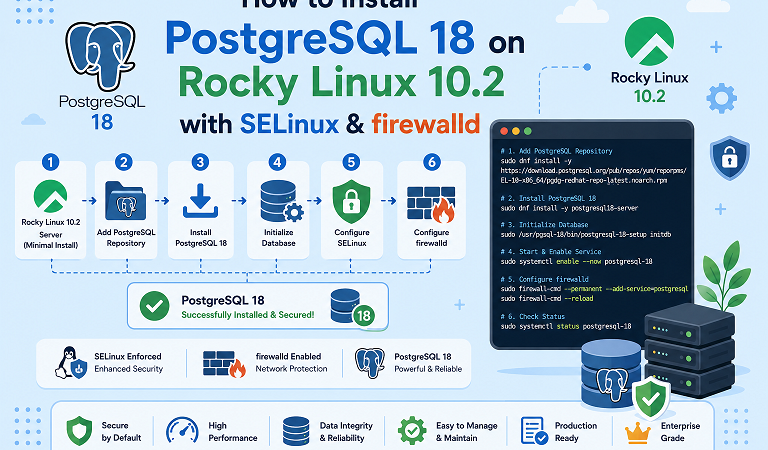
PostgreSQL 18 is available straight from the Rocky Linux 10.2 repositories, so you no longer have to add the community PGDG repository just to get a current major version. This guide shows both routes, explains how they differ, and then walks through initialization, a first database and role, secure remote access with SCRAM authentication, firewalld, SELinux, and troubleshooting.
Table of Contents
- Which installation method should you use?
- Prerequisites
- Step 1: Check your Rocky Linux release
- Step 2: Install PostgreSQL 18 (native AppStream)
- Step 3: Initialize and start the server
- Step 4: Verify the installation
- Step 5: Create a role and database
- Step 6: Allow remote connections securely
- Step 7: firewalld
- SELinux: custom ports and data directories
- Alternative: install from PGDG
- What is new in PostgreSQL 18 for fresh installs
- Updating and uninstalling
- Troubleshooting
- FAQ
- Next steps
1. Which installation method should you use?
| Native AppStream (Rocky 10.2+) | PGDG (community repository) | |
|---|---|---|
| Install command | dnf install postgresql18-server | dnf install postgresql18-server (after adding the PGDG repo RPM) |
| Initialize | postgresql-setup --initdb | /usr/pgsql-18/bin/postgresql-18-setup initdb |
| Service name | postgresql.service | postgresql-18.service |
| Binaries | /usr/bin | /usr/pgsql-18/bin |
| Data directory | /var/lib/pgsql/data | /var/lib/pgsql/18/data |
| Best for | Simple, distribution-supported setups | Several major versions side by side, PGDG-only extensions, community release cadence |
Pick one method and stay with it. Do not enable PGDG halfway through a native installation, because the two use different service names, paths, and helper scripts.
Rocky Linux 10 does not use the old DNF module system for PostgreSQL, so there is no dnf module disable postgresql step on this release.
2. Prerequisites
| Requirement | Detail |
|---|---|
| OS | Rocky Linux 10.2 (AlmaLinux 10.2 and RHEL 10.2 behave the same) |
| Access | sudo privileges |
| Network | Outbound access to the Rocky mirrors (and PGDG if you use it) |
| SELinux | Enforcing; leave it that way |
| Existing PostgreSQL | None. If an older cluster exists in /var/lib/pgsql/data, stop and plan a major-version upgrade instead |
Warning: Never run
postgresql-setup --initdbon a server that already has a PostgreSQL data directory. It creates a new cluster; it is not an upgrade tool.
3. Step 1: Check your Rocky Linux release
cat /etc/os-release | grep -E 'PRETTY_NAME|VERSION_ID'
uname -m
sudo dnf makecache --refresh
Expected output includes Rocky Linux 10.2 (Red Quartz) and x86_64. Then check that the package is available:
dnf info postgresql18-server
dnf list --available 'postgresql18*'
You should see postgresql18-server from the appstream repository, along with postgresql18, postgresql18-contrib, and, depending on your repositories, extension packages such as pgvector and PostGIS builds.
If the package is missing, update to 10.2 first (sudo dnf -y update), confirm AppStream is enabled with dnf repolist, or use the PGDG method below.
4. Step 2: Install PostgreSQL 18 (native AppStream)
sudo dnf install -y postgresql18-server postgresql18-contrib
rpm -q postgresql18-server
postgresql18-contrib provides extensions such as pgcrypto and pg_stat_statements. Related packages you may want later:
| Package | Purpose |
|---|---|
postgresql18 | Client tools (psql, pg_dump) |
postgresql18-server | The database server |
postgresql18-contrib | Bundled extensions |
postgresql18-devel | Headers for building extensions |
postgresql18-docs | Documentation |
5. Step 3: Initialize and start the server
sudo postgresql-setup --initdbThis creates /var/lib/pgsql/data with postgresql.conf, pg_hba.conf, and the postgres, template0, and template1 databases. Locale, encoding, and checksum settings are fixed at this moment, so decide on them first if you need something unusual.
Enable at boot and start now:
sudo systemctl enable --now postgresql.service
systemctl status postgresql.service --no-pager
You should see active (running) and a process like /usr/bin/postgres -D /var/lib/pgsql/data. If it fails, read the log:
sudo journalctl -u postgresql.service --no-pager -n 506. Step 4: Verify the installation
sudo -u postgres pg_isready
# /var/run/postgresql:5432 - accepting connections

sudo -u postgres psql -c 'SELECT version();'
Check the server version rather than only psql --version, which reports the client binary found on your PATH.
Inspect the effective settings:
sudo -u postgres psql -c "
SELECT name, setting FROM pg_settings
WHERE name IN ('server_version','data_directory','config_file','hba_file',
               'port','listen_addresses','data_checksums','password_encryption')
ORDER BY name;"
A fresh PostgreSQL 18 cluster shows data_checksums = on, listen_addresses = localhost, and password_encryption = scram-sha-256.
7. Step 5: Create a role and database
Keep three identities separate:
| Identity | What it is |
|---|---|
Linux user postgres | OS account that owns the server process and data files |
PostgreSQL role postgres | Database superuser |
Application roles (for example appuser) | Least-privilege accounts your software uses |
sudo -u postgres psqlCREATE ROLE appuser LOGIN;
\password appuser
CREATE DATABASE appdb OWNER appuser;
\q\password prompts for the password interactively, so it never lands in shell history or the SQL log. Confirm:
sudo -u postgres psql -c '\du'
sudo -u postgres psql -c '\l appdb'
Enable a contrib extension in your database to test the contrib package:
sudo -u postgres psql -d appdb -c 'CREATE EXTENSION IF NOT EXISTS pgcrypto;'8. Step 6: Allow remote connections securely
Remote access has three layers. All three must allow the connection.
 +-----------+      +-------------+      +--------------------+      +-------------+ |  Client   | ---> |  firewalld  | ---> | postgresql.conf    | ---> | pg_hba.conf |
 | 10.0.5.20 |      | TCP 5432 for|      | listen_addresses   |      | host appdb  |
 +-----------+      | 10.0.5.0/24 |      | = server's address |      | appuser     |
                    +-------------+      +--------------------+      | scram-sha-  |
                                                                     | 256         |
                                                                     +-------------+
1. Listen on a network address. Edit /var/lib/pgsql/data/postgresql.conf:
listen_addresses = 'localhost,192.168.10.20' # your server's IP, not '*' unless you must2. Authorize the client network. Add a narrow rule to /var/lib/pgsql/data/pg_hba.conf:
# TYPE  DATABASE  USER     ADDRESS           METHOD
host    appdb     appuser  192.168.10.0/24   scram-sha-256
Never use host all all 0.0.0.0/0 trust.
3. Validate and apply. listen_addresses needs a restart; pg_hba.conf only a reload.
sudo -u postgres psql -c "SELECT line_number, type, database, user_name, address, auth_method, error FROM pg_hba_file_rules;"
sudo systemctl restart postgresql.service
The error column should be empty for your new rule. Check the listener:
ss -ltn | grep ':5432'On a fresh native install, TCP connections to 127.0.0.1 may match an ident rule while socket connections use peer. If password login over localhost fails, inspect the generated pg_hba.conf and add an explicit scram-sha-256 line instead of relying on defaults.
9. Step 7: firewalld
Open PostgreSQL only to the networks that need it.
# Option A: open to the active zone (simple, broader)
sudo firewall-cmd --permanent --add-service=postgresql
sudo firewall-cmd --reload

# Option B: restrict to one subnet (recommended)
sudo firewall-cmd --permanent --add-rich-rule='rule family="ipv4" source address="192.168.10.0/24" service name="postgresql" accept'
sudo firewall-cmd --reload
sudo firewall-cmd --list-all
Test from a client machine:
psql -h 192.168.10.20 -U appuser -d appdb -c 'SELECT current_database(), current_user;'More recipes are in firewalld on Rocky Linux 10: Zones, Rich Rules & Real-World Recipes.
10. SELinux: custom ports and data directories
The packaged policy already labels the default port 5432 and the default data directory. You only need SELinux changes when you move things.
Custom port (for example 5433):
sudo semanage port -a -t postgresql_port_t -p tcp 5433
sudo semanage port -l | grep postgresql
If semanage is missing: sudo dnf install -y policycoreutils-python-utils.
Custom data directory (for example a dedicated disk mounted at /data/pgsql):
sudo semanage fcontext -a -t postgresql_db_t "/data/pgsql(/.*)?"
sudo restorecon -Rv /data/pgsql
ls -ldZ /data/pgsql
Then point the service at the new location with a systemd override (sudo systemctl edit postgresql.service) or an initdb in the new path, depending on your setup.
Diagnosing denials:
sudo ausearch -m avc -ts recent | grep postgresNever disable SELinux to make PostgreSQL work. Our SELinux troubleshooting guide for Rocky Linux 10 shows how to read and fix denials safely.
11. Alternative: install from PGDG
Use PGDG only if you need several major versions on one host, PGDG-only extensions, or the community packaging lifecycle.
sudo dnf install -y https://download.postgresql.org/pub/repos/yum/reporpms/EL-10-x86_64/pgdg-redhat-repo-latest.noarch.rpm
sudo dnf makecache --refresh
dnf repolist --enabled | grep -i pgdg

dnf info postgresql18-server        # repository should be pgdg18, not appstream
sudo dnf install -y postgresql18-server postgresql18-contrib

sudo /usr/pgsql-18/bin/postgresql-18-setup initdb
sudo systemctl enable --now postgresql-18.service
With PGDG, use the full binary path for client tools, for example sudo -u postgres /usr/pgsql-18/bin/psql, and the data directory is /var/lib/pgsql/18/data. Do not run dnf module disable postgresql on EL 10; that is an EL 9 step.
12. What is new in PostgreSQL 18 for fresh installs
| Change | What it means for you |
|---|---|
| Data checksums on by default for new clusters | Silent disk corruption is detected; small CPU cost |
| MD5 password authentication deprecated | Use SCRAM (scram-sha-256) for new roles and pg_hba.conf rules |
| New configurations should avoid MD5 entries | Migrate old roles by resetting their passwords under SCRAM |
Major-version upgrades from 16 or 17 need pg_upgrade or dump/restore, not this guide.
13. Updating and uninstalling
Minor updates within version 18:
sudo dnf upgrade 'postgresql18*'
sudo systemctl restart postgresql.service
sudo -u postgres psql -c 'SHOW server_version;'
Uninstall (back up first; this deletes data if you remove the directory):
sudo systemctl disable --now postgresql.service
sudo dnf remove -y postgresql18-server postgresql18-contrib postgresql18
sudo rm -rf /var/lib/pgsql/data      # permanently deletes all databases
For PGDG, use postgresql-18.service and remove /var/lib/pgsql/18/data.
14. Troubleshooting
| Symptom | Likely cause | Fix |
|---|---|---|
No match for argument: postgresql18-server | Rocky release older than 10.2, AppStream disabled, or stale metadata | sudo dnf -y update; dnf repolist; dnf makecache --refresh |
postgresql-setup: command not found | You installed PGDG packages | Use /usr/pgsql-18/bin/postgresql-18-setup initdb |
postgresql-18.service not found | You installed native packages | Use postgresql.service |
| Service fails right after start | Cluster not initialized | Run the matching initdb helper |
| initdb refuses: directory not empty | Existing cluster or leftover files | Identify what is there; never delete blindly |
FATAL: Peer authentication failed for user "appuser" | OS user does not match role on a socket connection | Use -h 127.0.0.1 with a password rule, or sudo -u postgres |
| Password login over 127.0.0.1 fails | Default ident rule for TCP localhost | Add a host ... 127.0.0.1/32 scram-sha-256 rule above it and reload |
no pg_hba.conf entry for host | No matching rule for client IP | Add a narrow CIDR rule and reload |
| Connection refused from other host | Still listening on localhost only | Set listen_addresses and restart |
| Connection timed out | firewalld blocking port 5432 | Add service or rich rule, then reload |
port 5432 already in use | Another PostgreSQL instance | ss -ltnp | grep 5432; stop or change the port |
| Custom port fails with SELinux denial | Port not labeled | semanage port -a -t postgresql_port_t -p tcp <port> |
| Custom data dir permission denied | Wrong SELinux context or ownership | semanage fcontext + restorecon -Rv; chown postgres:postgres |
psql --version shows a different version | Another client first in PATH | Compare with SHOW server_version; |
database files are incompatible with server | Data from another major version | Use pg_upgrade; do not point v18 at v16 data |
extension "x" is not available | Extension package missing | Install the matching postgresql18-* package |
15. FAQ
Native AppStream or PGDG on Rocky Linux 10?
Use native packages when postgresql18-server is available, as it is on 10.2: fewer moving parts and distribution-managed updates. Choose PGDG for multiple parallel major versions or PGDG-only extensions.
Can I install PostgreSQL 17 or 16 instead?
Yes, from PGDG (postgresql17-server, postgresql16-server) or other distribution packages, depending on your release. Use their versioned initdb helpers and service names.
Why does psql report a different version than the server?psql --version shows the client binary on your PATH. Run SELECT version(); against the running server.
Should I allow listen_addresses = '*'?
Only if you also restrict access with pg_hba.conf and firewalld. A specific address is safer.
How do I back up PostgreSQL?
Start with pg_dump for logical backups, then move to continuous archiving. See PostgreSQL Backup with pgBackRest.
How do I add a standby server?
Follow PostgreSQL Streaming Replication on Rocky Linux 10.
Can I run PostgreSQL in a container instead?
Yes. See How to Install Docker on Rocky Linux 10 with SELinux for the container runtime side.
Related posts:
 How To Install PostgreSQL 13 on Ubuntu 20.04 LTS
 How To Install PostgreSQL 13 Database Server on CentOS 8
 How To Install PostgreSQL 14 on Ubuntu 20.04
 How to Deploy PostgreSQL on Kubernetes with Persistent Storage (2026 Guide)
 How To Install MySQL 8 Database on Ubuntu 20.04 LTS Server
 How To Install SQL Server 2019 Command Line Tools On Ubuntu 22.04
 How To Install MySQL Server Database On OpenSUSE Tumbleweed
 How to Install MongoDB 8.0 on Rocky Linux 10.2: Complete Setup Guide with SELinux & Authentication
