Apache Superset: A Powerful Open-Source Data Visualization Tool for IT Operation Engineers


As an IT Operation Engineer, raw metrics and logs alone are often not enough to make quick, informed decisions. You need clear, interactive, and real-time visualizations to monitor systems, analyze trends, and communicate effectively with stakeholders. That’s where Apache Superset comes in—a robust open-source data visualization and exploration platform.
What is Apache Superset?
Apache Superset is a modern, open-source data visualization and business intelligence (BI) tool built by the Apache Software Foundation. It enables users to create interactive dashboards, explore data through SQL queries, and connect seamlessly to various data sources.
Superset offers a lightweight, cost-effective alternative to commercial solutions like Tableau, Power BI, or Looker—without sacrificing performance or scalability.
Key Features of Apache Superset
Here’s why Superset stands out for operational and data-driven teams:
- Interactive Dashboards
With a user-friendly drag-and-drop interface, you can create real-time dashboards using a wide range of chart types—line, bar, pie, heatmaps, time-series, tables, and even geospatial maps. - SQL Lab for Direct Querying
Superset includes a built-in SQL editor (SQL Lab), allowing you to write and run queries directly from your browser—perfect for quick analysis or ad-hoc data exploration. - Role-Based Access Control (RBAC)
Superset offers fine-grained access controls. You can define user roles, manage permissions, and secure sensitive dashboards—all essential features for enterprise-grade deployments. - Scalable & Cloud-Ready
Superset supports production deployments with Celery (for async tasks), Redis, and caching layers—making it suitable for large-scale data environments. - Supports Multiple Data Sources
Out of the box, Superset connects with popular databases and data engines such as:
- PostgreSQL
- MySQL / MariaDB
- Oracle
- Microsoft SQL Server
- Google BigQuery
- Trino / Presto
- Druid, ClickHouse, and more
Why Apache Superset Matters for IT Operation Engineers
As an IT Operation Engineer, Superset can significantly enhance how you work with data:
✅ Infrastructure Monitoring
Use Superset to visualize system metrics like CPU, memory, disk usage, or error rates from your observability tools or databases.
✅ Incident Analysis
Create dashboards that show trends in error logs, API response times, or service downtimes over time. These help during incident reviews or RCA (root cause analysis).
✅ Executive Reporting
Build high-level dashboards for non-technical stakeholders (management, product, finance) to communicate system performance clearly—no SQL knowledge needed.
✅ Self-Service Analytics
Superset empowers ops teams to independently explore and visualize data—without waiting on data engineers or BI teams.
Superset is just one layer of a modern analytics stack. If you’re evaluating how it fits alongside tools like Doris, Iceberg, Arrow, or Atlas, see our comparison guide: Apache Analytics Tools Compared: Superset vs Atlas vs Arrow vs Iceberg vs Doris.
Conclusion
Apache Superset is a powerful and flexible data visualization platform, perfect for IT Operation Engineers who need to monitor, analyze, and present data effectively. Its rich feature set, wide data source support, and open-source nature make it an ideal addition to any DevOps or operational analytics stack.
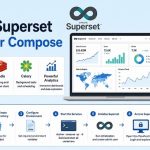
If you’re looking for a reliable, scalable, and cost-free dashboarding tool—Apache Superset deserves a place in your toolkit. Ready to get Superset running? Follow our step-by-step guide on installing Apache Superset with Docker Compose.
❓ Frequently Asked Questions (FAQ) About Apache Superset
1. What is Apache Superset?
Apache Superset is a modern, open-source data visualization and business intelligence platform that enables users to explore, visualize, and create interactive dashboards from a wide range of data sources.
2. How is Superset different from other BI tools like Tableau or Power BI?
Superset is fully open-source and self-hosted, providing a lightweight and scalable alternative without licensing costs, while still offering rich visualizations, SQL querying, and dashboard capabilities.
3. What kinds of visualizations can I build with Superset?
Superset supports 40+ chart types, from line and bar charts to heatmaps, time-series, tables, and geospatial visualizations, enabling users to build detailed dashboards.
4. Can Superset connect to my database?
Yes — Superset integrates with most SQL-based modern databases and engines such as PostgreSQL, MySQL, Oracle, Google BigQuery, Trino/Presto, and ClickHouse, among others.
5. Do I need SQL knowledge to use Superset?
Basic dashboarding can be done with drag-and-drop tools, but SQL Lab provides a powerful SQL IDE built into Superset for advanced querying and data exploration.
6. Is Superset suitable for enterprise use?
Yes — Superset includes enterprise-grade features like role-based access control (RBAC), authentication integration (OAuth, LDAP), and scalable deployment options with Celery and caching layers.
7. Can Superset handle large datasets?
Superset itself acts as a visualization layer and relies on your underlying database to execute queries, so performance largely depends on your data engine and infrastructure.
8. Does Superset have security and access control features?
Yes — Superset supports granular role-based access control so administrators can manage user permissions and secure sensitive dashboards.
9. Is Apache Superset open source and free?
Yes — Superset is an open-source platform licensed under Apache License 2.0, and you can host and customize it without licensing fees.
10. Can I extend Superset or add custom visualizations?
Yes — Superset supports custom visualization plugins and extensible architecture, allowing developers to tailor visualizations to specific needs.
Related posts:
 How To Install Apache Spark On Ubuntu 20.04
 How To Install Apache Airflow 2.1 On Ubuntu 20.04 LTS Step by Step Guide
 How To Install Apache Web Server On Fedora 38
 Apache Doris: Real-Time Analytics Made Simple for Modern Enterprise
 What is Apache HBase? A Scalable NoSQL Database for Big Data
 Apache Iceberg: The Next-Generation Table Format for Big Data Analytics
 How to Install Apache Iceberg on Docker: A Complete Guide
 How to Install Apache Superset with Docker Compose
