Using Apache JMeter for Oracle Fusion ERP Performance Testing: Concepts and Strategy

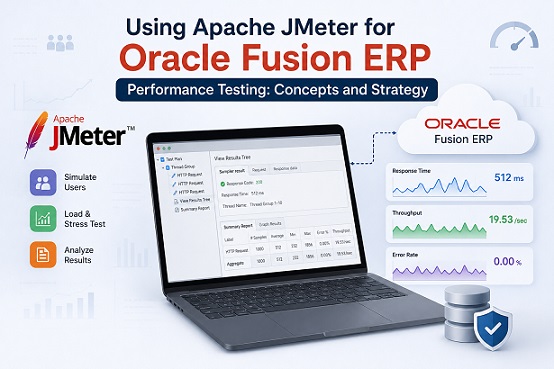
Enterprise applications like Oracle Fusion ERP are mission-critical systems where performance directly impacts business operations. A slow payroll run, a lagging procurement approval workflow, or a sluggish financial close process can cascade into real operational and financial costs. Apache JMeter — the industry-standard open-source load testing tool — is widely used to validate that Oracle Fusion ERP can handle production-level workloads before go-live.
This article covers the core concepts, strategic approach, and practical considerations for designing and executing performance tests against Oracle Fusion ERP using JMeter. Whether you are preparing for a User Acceptance Testing (UAT) phase, a pre-production load test, or an ongoing regression performance suite, this guide gives you the mental framework to do it right.
Table of Contents
- Why Performance Testing Oracle Fusion ERP Is Different
- Types of Performance Tests for ERP Systems
- Understanding Oracle Fusion’s Architecture for Testing
- JMeter Core Concepts You Must Know
- Test Strategy: Planning Before Scripting
- Handling Oracle Fusion Authentication in JMeter
- Scripting Strategy for Oracle Fusion Modules
- Correlation and Dynamic Values
- Designing Realistic Load Profiles
- Key Metrics to Monitor
- Common Pitfalls and How to Avoid Them
- Interpreting Results and Reporting
- Summary
1. Why Performance Testing Oracle Fusion ERP Is Different
Oracle Fusion ERP is not a typical web application. It is a deeply integrated, multi-layered SaaS/on-premise enterprise platform with dozens of interdependent modules — Financials, HCM, Procurement, SCM, and more — each with complex workflows, multi-step transactions, and session-sensitive state management.
This makes performance testing Oracle Fusion fundamentally different from testing a simple REST API or a customer-facing web portal. Here is why:
Session complexity. Oracle Fusion uses Oracle Access Manager (OAM) for authentication with multiple tokens, cookies, and session tokens that must be properly captured and correlated in your JMeter scripts. A miscorrelated token causes test failures that look like application errors but are actually scripting bugs.
Think time sensitivity. ERP users are knowledge workers performing deliberate, multi-step business transactions. Unlike e-commerce users who may click rapidly, ERP users fill forms, review data, and navigate through approval workflows. Accurate think times are critical to producing realistic load.
Module interdependencies. A purchase order in Procurement affects Inventory in SCM and Payables in Financials. Testing one module in isolation may not surface the bottlenecks that emerge when all modules run concurrently.
Data sensitivity. ERP performance tests require realistic datasets — supplier master data, employee records, chart of accounts, and open transactions. Poor test data leads to misleading results or test failures due to validation errors, not performance issues.
Environment constraints. Oracle Fusion (particularly cloud/SaaS) may have rate limiting, fair use policies, or require Oracle’s explicit permission to conduct load tests against cloud-hosted instances. Always confirm with your Oracle account team and project stakeholders before running any load test.
2. Types of Performance Tests for ERP Systems
Before writing a single JMeter script, you need to understand which type of test you are running and what question it is designed to answer.
Load Test
Question: Can the system handle the expected number of concurrent users performing normal business operations?
This is the most common test for ERP go-live readiness. You simulate the anticipated peak concurrent user count — for example, 200 users performing financial close activities simultaneously — and verify that response times stay within acceptable SLA thresholds.
Stress Test
Question: At what point does the system break, and how does it recover?
You gradually increase load beyond the expected peak to identify the system’s breaking point. This reveals whether the system fails gracefully (queues requests, slows down) or catastrophically (crashes, corrupts data).
Soak / Endurance Test
Question: Does the system degrade over time under sustained load?
You run a moderate load — typically 60–70% of peak — for an extended period (8–24 hours or more) to detect memory leaks, connection pool exhaustion, or disk space issues that only manifest over time.
Spike Test
Question: How does the system respond to sudden, sharp increases in load?
Relevant for scenarios like month-end financial close or payroll processing days, where load jumps sharply from baseline to peak within minutes.
Volume Test
Question: Does performance degrade as data volume grows?
You test the system with large datasets — hundreds of thousands of invoices, employee records, or purchase orders — to verify that database query performance remains acceptable as the ERP data grows over time.
For Oracle Fusion ERP implementations, the most critical tests before go-live are typically Load, Soak, and Spike — corresponding to normal operations, sustained usage during active business periods, and month-end/payroll peaks respectively.
3. Understanding Oracle Fusion’s Architecture for Testing
Effective JMeter scripting requires understanding what you are actually testing. Oracle Fusion ERP has a layered architecture:
Presentation Layer — Oracle Application Development Framework (ADF) UI or Oracle Redwood UI (newer modules). This is what users interact with in the browser. ADF is a particularly stateful framework — it maintains view state on both the client and server, which has major implications for scripting.
Application Layer — Oracle WebLogic Server hosts the ERP application logic. This is where business rules, workflow engines, and integrations live.
Integration Layer — Oracle Integration Cloud (OIC) or SOA Suite handles integrations between modules and external systems.
Data Layer — Oracle Database (or Autonomous Database in cloud) stores all ERP data.
Authentication Layer — Oracle Access Manager (OAM) or Oracle Identity Cloud Service (IDCS) handles SSO and session management.
For JMeter, the most important implication is that Oracle ADF is highly stateful. Each page interaction generates and consumes dynamic tokens (view state tokens, ADF faces client IDs, etc.) that must be captured and replayed correctly. This is what makes Oracle Fusion scripting significantly more complex than testing a RESTful API.
4. JMeter Core Concepts You Must Know
Before diving into strategy, ensure you have a solid grasp of these JMeter building blocks as they apply to Oracle Fusion testing:
Thread Groups represent your virtual users. For ERP testing, you typically create separate Thread Groups for each module or user persona — for example, one Thread Group for Accounts Payable clerks, another for Procurement officers, another for Payroll administrators.
Samplers are the actual requests JMeter sends. For Oracle Fusion UI testing, you will primarily use HTTP Request samplers. For API/REST testing (Oracle Fusion REST APIs), HTTP Request samplers are also used but with different headers and payloads.
Controllers — Logic Controllers (If, While, Loop) and Transaction Controllers group related requests into logical business transactions. Wrap every complete business transaction (e.g., “Create Purchase Order”) in a Transaction Controller so you can measure end-to-end transaction time, not just individual HTTP request time.
Listeners collect and display test results. Avoid running Listeners during load tests as they consume significant memory and skew results. Use them only during script development. During actual load tests, write results to a .jtl file and analyze afterward.
Config Elements — HTTP Cookie Manager and HTTP Header Manager are essential for Oracle Fusion. The Cookie Manager automatically handles session cookies; the Header Manager lets you set the correct Content-Type, Accept, and custom headers that Oracle Fusion expects.
Assertions validate that responses are correct, not just that the server responded. Use Response Assertions to check for the absence of error messages (e.g., assert the response does NOT contain “Application Error” or “ORA-“) rather than checking for specific content, which is fragile in ADF applications.
Timers introduce think time between requests. For Oracle Fusion, use a Gaussian Random Timer with a mean of 3,000–5,000ms and deviation of 1,000–2,000ms between requests to simulate realistic user behavior.
5. Test Strategy: Planning Before Scripting
The biggest mistake in ERP performance testing is jumping straight to scripting. A well-designed test strategy saves enormous time and produces far more useful results.
Step 1: Define Business Scenarios
Work with business stakeholders and the functional team to identify the critical business transactions that must perform well. Typical high-priority scenarios for Oracle Fusion modules include:
| Module | Critical Scenario |
|---|---|
| Financials | Journal Entry creation and posting, AP Invoice processing, Financial Close |
| HCM | Employee onboarding, Payroll run, Absence management |
| Procurement | Purchase Requisition to PO creation, Supplier invoice matching |
| SCM | Sales Order creation, Shipment confirmation, Inventory transfer |
| OIC | Bulk integration payload processing, Real-time sync triggers |
Do not try to test everything. Focus on the top 5–10 transactions that are highest in volume or most business-critical.
Step 2: Define Workload Model
A workload model translates business usage into test parameters. For each scenario, define:
- Concurrent users: How many users perform this transaction simultaneously at peak?
- Transaction rate: How many transactions per hour at peak?
- Think time: How long does a real user spend between steps?
- Ramp-up period: How quickly should virtual users reach peak load?
- Test duration: How long should peak load be sustained?
Base these numbers on actual system usage data if available — extract user session counts from Oracle Fusion audit logs or database monitoring during peak business periods.
Step 3: Define Performance SLAs
You need clear, agreed-upon pass/fail criteria before testing. Typical SLAs for Oracle Fusion ERP:
- Page response time (95th percentile): ≤ 5 seconds under peak load
- Transaction response time (end-to-end): ≤ 10 seconds for complex transactions
- Error rate: < 0.5% of all requests
- Throughput: Must support X transactions per hour
Without agreed SLAs, test results are meaningless — you cannot determine whether the system passed or failed.
Step 4: Prepare Test Data
Performance test data must be:
- Realistic in volume — use a dataset that mirrors production data volume
- Isolated — use dedicated test users, test suppliers, test cost centers, and test employees to avoid contaminating real data
- Resettable — design test data so it can be reset and reused across test runs without manual cleanup
For Oracle Fusion, coordinate with the functional team and DBAs to set up a dedicated performance test dataset in the test environment.
6. Handling Oracle Fusion Authentication in JMeter
Authentication is the most technically challenging aspect of JMeter scripting for Oracle Fusion. The platform uses a multi-step SSO flow that generates several dynamic tokens.
Typical Oracle Fusion authentication flow:
- Browser sends GET request to the application URL
- Oracle Access Manager redirects to the login page
- User submits credentials (POST)
- OAM validates credentials and issues an authentication cookie
- Browser is redirected back to the application with an authorization token
- Application sets session cookies and initializes the user session
In JMeter, you must:
- Use an HTTP Cookie Manager (set to “Clear cookies each iteration” for isolated test runs)
- Use Regular Expression Extractors or CSS/JQuery Extractors to capture dynamic tokens from redirect responses
- Ensure the correct sequence of requests replicates the full SSO handshake
Key tokens to capture:
- OAM_IDENTITY_ASSERTION (or equivalent SSO token)
- oracle.ucs.activitygraph.visits (session identifier)
- ADF view state token (from page source)
- javax.faces.ViewState (for ADF form submissions)
A common approach is to record the authentication flow using JMeter’s HTTP(S) Test Script Recorder (a proxy-based recorder) while manually logging in through a browser. This captures all requests and tokens automatically. Then, you add extractors and correlations to parameterize the dynamic values.
Pro tip: Always test your authentication script in isolation — with a single user, no load — and verify the user actually lands on the correct home page before adding any downstream business transaction scripts.
7. Scripting Strategy for Oracle Fusion Modules
Each Oracle Fusion module has its own UI patterns and transaction flows. Here is the recommended scripting strategy by module category:
Financials (GL, AP, AR)
Journal entries and invoice processing involve multi-step ADF forms with lookups and validations. Key considerations:
- Parameterize all master data references — ledger names, cost centers, account codes, supplier names must be read from CSV data files, not hardcoded
- Capture and replay the ADF ViewState token on every form submission — this token changes with every page render
- Use Transaction Controllers to wrap the full journal entry creation (from open form to posting confirmation) as a single measurable transaction
HCM & Payroll
Payroll processing is one of the most resource-intensive operations in Oracle Fusion. For load testing:
- Test payroll run submission separately from other scenarios — payroll is a batch process and creates extreme backend load
- Simulate the approval workflow — onboarding and absence management involve multi-level approvals; script the full approval chain, not just the initial submission
- Use realistic employee data volumes — a payroll run with 100 test employees behaves very differently from one with 10,000
Procurement & SCM
Purchase requisition to PO flows involve lookups against supplier master, item catalogs, and approval hierarchies:
- Script the requisition-to-PO full flow as a single Transaction Controller scenario
- Parameterize supplier and item data — invalid or non-existent supplier codes cause application validation errors that look like performance failures
- Include workflow approval steps — many procurement transactions require approval before completion; incomplete workflow simulation produces unrealistically fast response times
Oracle Integration Cloud (OIC)
For integration-heavy implementations, also test OIC endpoints:
- Use JMeter’s HTTP Sampler with REST/SOAP payloads to hit OIC integration endpoints directly
- Test bulk payload processing — send large batches of records to integration flows and measure throughput
- Monitor OIC activity stream during tests to identify integration bottlenecks independently of the UI
8. Correlation and Dynamic Values
Correlation is the process of capturing dynamic values from server responses and reusing them in subsequent requests. This is the most time-consuming part of Oracle Fusion scripting, but it is non-negotiable — without proper correlation, your scripts will fail under load.
Values that must always be correlated in Oracle Fusion:
- View State / ADF State tokens — embedded in every ADF page’s HTML source
- CSRF tokens — security tokens that protect against cross-site request forgery
- Row keys and entity IDs — database-generated identifiers returned when creating records (e.g., a newly created PO number that must be referenced in subsequent approval steps)
- Redirect URLs — OAM authentication generates dynamic redirect URLs
JMeter extractors for correlation:
Regular Expression Extractor:
  Reference Name: viewState
  Regular Expression: id="javax\.faces\.ViewState"[^>]*value="([^"]+)"
  Template: $1$
  Match No: 1

JSON Extractor (for REST API responses):
  Reference Name: poHeaderId
  JSON Path Expression: $.result.Value.POHeaderId
  Match No: 1
After extraction, reference the variable in subsequent requests using ${viewState} or ${poHeaderId} syntax.
Strategy tip: After recording your script, do a dry run with verbose logging enabled (View Results Tree listener) and manually inspect every POST request body. Any hardcoded token that does not match the current session will cause a failure. Identify all such values and add the appropriate extractor for each.
9. Designing Realistic Load Profiles
A flat load profile — where all virtual users start simultaneously and run at full throttle — does not represent real-world ERP usage and produces misleading results.
Recommended load profile structure for Oracle Fusion ERP:
Phase 1 — Ramp-Up (15–30 minutes):
  Gradually increase virtual users from 0 to peak
  This simulates employees logging in at the start of business hours
  Recommended: add 10–20% of peak users every 5 minutes

Phase 2 — Steady State (60–120 minutes):
  Maintain peak load
  This is where your SLA metrics are measured
  Shorter duration for load tests; longer (8h+) for soak tests

Phase 3 — Ramp-Down (10–15 minutes):
  Gradually reduce virtual users
  Observe how the system recovers
  Check for lingering errors or slow responses post-peak
Mixed workload distribution: In reality, not all users are doing the same thing simultaneously. Design your Thread Groups to reflect the actual distribution of activity:
| User Persona | % of Peak Load |
|---|---|
| AP Invoice Processors | 25% |
| Procurement Officers | 20% |
| GL Accountants | 15% |
| HCM Self-Service Users | 30% |
| SCM Warehouse Staff | 10% |
This produces a far more realistic and revealing test than running a single scenario at full load.
10. Key Metrics to Monitor
During and after a JMeter test against Oracle Fusion, monitor metrics at multiple layers:
JMeter-Side Metrics (Client Perspective)
- Response Time (Average, 90th, 95th, 99th percentile) — always report percentiles, never just averages; averages mask outliers
- Throughput (requests/second) — validate against your workload model
- Error Rate (%) — break down errors by type (HTTP 4xx vs 5xx vs application errors)
- Active Threads over Time — confirms your ramp-up profile executed correctly
Server-Side Metrics (Infrastructure Perspective)
Coordinate with the infrastructure or DBA team to monitor:
- WebLogic JVM Heap Usage — heap exhaustion causes GC pauses that spike response times
- WebLogic Thread Pool — thread pool saturation is a common Oracle Fusion bottleneck
- Oracle Database: CPU, I/O wait, active sessions, top SQL — slow queries are frequently the root cause of ERP performance issues
- OAM Server CPU and Memory — authentication bottlenecks affect all modules simultaneously
Application-Level Metrics
- Slow Query Log — enable Oracle DB slow query logging during tests to capture queries exceeding your threshold
- WebLogic Access Log — cross-reference with JMeter results to identify server-side latency vs network latency
- OIC Activity Dashboard — for integration-heavy scenarios, check OIC throughput and error rates
11. Common Pitfalls and How to Avoid Them
Pitfall 1: Testing against a cloud-hosted Oracle Fusion instance without authorization.
Oracle’s Terms of Service for cloud SaaS typically prohibit load testing without explicit written permission. Always obtain clearance from Oracle and your internal security team before running any test that generates significant load. Unauthorized load testing can result in service suspension.
Pitfall 2: Insufficient correlation.
Hardcoded ADF view state tokens are the single most common cause of JMeter script failures on Oracle Fusion. Every time you replay a hardcoded token from a recorded session, it will be rejected by the server. Invest the time to identify and correlate every dynamic value.
Pitfall 3: Ignoring think time.
Removing think time to “make the test faster” produces an unrealistic hammering test that no real user behavior resembles. It typically surfaces irrelevant bottlenecks and misses the ones that matter under realistic load.
Pitfall 4: Running JMeter with GUI during load tests.
JMeter’s GUI is for script development only. Running load tests with the GUI active consumes significant CPU and memory on the JMeter host, skewing response time measurements. Always run load tests from the command line:
jmeter -n -t testplan.jmx -l results.jtl -e -o ./reportPitfall 5: Not isolating test data.
Using production-like accounts or shared test accounts across multiple virtual users causes data conflicts, locking errors, and cascading failures that are misidentified as performance issues. Each virtual user should have its own dedicated test data identity.
Pitfall 6: Measuring only happy-path response time.
Include error scenarios — invalid login, failed validation, duplicate transaction — in your test plan. These paths also consume server resources and must perform within SLA.
12. Interpreting Results and Reporting
Raw JMeter output is not a performance test report. After every test run, synthesize the data into actionable findings.
Structure your performance test report around:
- Executive Summary — Did the system meet SLA? Pass or fail, stated clearly.
- Test Scope — Which scenarios were tested, at what load, for how long.
- Results by Transaction — Response time percentiles and error rates for each business transaction, compared against SLA thresholds.
- Infrastructure Observations — Server-side metrics during peak load (CPU, memory, DB).
- Bottlenecks Identified — Specific findings: “At 200 concurrent users, WebLogic thread pool saturation caused P95 response time for AP Invoice submission to reach 18 seconds, exceeding the 10-second SLA.”
- Recommendations — Concrete, actionable steps to address each bottleneck (e.g., tune WebLogic thread pool size, add database index on AP_INVOICES table, enable query result caching).
Use JMeter’s HTML Dashboard Report (-e -o ./report flags) for a quick visual summary. For formal stakeholder reporting, export data to Excel or a BI tool and build custom charts aligned to your SLA definitions.
Summary
Performance testing Oracle Fusion ERP with JMeter is a discipline that rewards careful preparation over rapid scripting. The key principles to carry into every engagement:
- Understand the architecture first — Oracle ADF’s stateful nature demands rigorous correlation; shortcuts here will cause test failures
- Strategy before scripts — define scenarios, workload model, and SLAs before recording a single request
- Realistic load profiles — ramp up gradually, mix user personas, use realistic think times
- Multi-layer monitoring — JMeter metrics alone are insufficient; server-side data is essential for root cause analysis
- Test data discipline — isolated, realistic, resettable test data is as important as the scripts themselves
- Always get authorization — especially for Oracle Fusion Cloud (SaaS) instances
When done right, JMeter performance testing against Oracle Fusion gives you the confidence that your ERP implementation can handle real business load — from the first day of go-live through the busiest month-end close.
Working on an Oracle Fusion ERP implementation and running into performance testing challenges? Share your experience in the comments — or reach out if you need help designing a test strategy for your specific modules.
Related posts:
 Oracle Fusion REST API Testing with JMeter: A Practical Guide
 NFT (Non-Functional Testing) Planning for Oracle Fusion ERP Implementations
 How to Move the Complete Git Repository
 Installing Monit On Fedora 38
 How To Install Jira On Ubuntu 22.04 LTS
 How To Install Zint, A Barcode Generator On Ubuntu 24.04
 Understanding Git Management Systems: Git, GitLab, and GitHub Explained
 Understanding Ansible Roles and Playbooks for Automated Deployment
